
For a store without in-house server staff, compare a hosted ecommerce platform with managed WooCommerce hosting first; choose between them by the control your integrations require and the work the provider actually handles. If neither option can pass a staged test of your checkout and order recovery under representative demand, reject it and test the next candidate.
An online store can load quickly and still fail to complete a sale. Product images appear instantly while the cart stalls, payment options vanish, or an order never reaches the database. That gap is why ecommerce hosting needs its own comparison.
Start with the work your store needs the host to do. A small catalog with occasional orders makes different demands from a store handling simultaneous checkouts, inventory updates and background jobs. Find out which work the provider handles, which resources your application gets, and what happens when something fails mid-transaction.
Hosted ecommerce platform vs managed WooCommerce vs self-managed hosting
The first decision is operational: how much of the store’s software and infrastructure do you want to manage?
Shopify and BigCommerce are hosted commerce platforms. You run a store inside the platform’s software and infrastructure, within its features, integrations and terms. WooCommerce works differently. The store runs on WordPress, and the hosting agreement partly decides who is responsible for what.
A managed WooCommerce plan takes server administration off your hands and keeps the WordPress plugin and theme library available. How much it covers varies. Security updates, plugin conflicts, payment integrations and application troubleshooting may fall to different parties.
You can choose among three operating models:
- Hosted ecommerce platform: The provider runs the environment. You configure the store and integrations within the service’s capabilities. It suits a team that wants one integrated service.
- Managed WooCommerce hosting: The provider performs the server operations its contract lists. You or your developer stay responsible for how the application behaves. It suits a WordPress store that needs server help.
- Self-managed VPS: Your technical team runs the server, application stack, monitoring, patches and recovery. The extra control pays off when qualified staff can do that work.
A required inventory integration, accounting connection or custom checkout extension can narrow your options.
One merchant with a WooCommerce store and fewer than 20 orders on a typical day considered Shopify, partly for inventory management and QuickBooks integration. That is a business-system decision as much as a hosting one. A migration changes the software, workflows and supported integrations along with the hosting.
On a hosted platform, check whether your required capabilities fit inside the service’s boundaries. With managed WooCommerce, find out which maintenance and incident tasks the provider accepts. A self-managed VPS makes sense when your team can maintain the operating system, application runtime, database, monitoring and recovery process. Uptime alerts, incident response and restore tests are covered in the website reliability diagnosis and recovery playbook.
Check the software stack before believing the hosting label
Your plan must support the versions and extensions your store requires. A WooCommerce logo on a sales page tells you less than a documented match between the application and the server environment.
For WooCommerce 10.8 and later, WooCommerce’s published server recommendations include the following:
- WordPress: Version 6.9 or later.
- PHP: Version 8.3 or later, with the referenced documentation listing testing through PHP 8.4.
- Database: MySQL 8.0 or later, or MariaDB 10.6 or later.
- WordPress memory limit: At least 256 MB.
- Secure connections: HTTPS.
These are the WooCommerce server recommendations for version 10.8 and later. WooCommerce also publishes separate minimum supported versions. For 10.8, the minimums include WordPress 6.9 and PHP 7.4, while PHP 8.3 or later is recommended. An older supported PHP version can introduce security and compatibility concerns.
Matching versions only tells you the plan can run your store. It doesn’t tell you how many orders it can take.
Build an inventory of your store: installed WordPress and WooCommerce releases, PHP and database versions, required modules, payment and shipping extensions, background-job dependencies and custom code. Compare it with each finalist’s documented configuration.
| Compatibility item | Required by my store | Documented in finalist plan |
|---|---|---|
| WordPress and WooCommerce | Installed and target versions | Supported versions and upgrade policy |
| PHP and required extensions | Compatible runtime and modules | Provided runtime and enabled modules |
| Database | Required MySQL or MariaDB version | Actual database service and version |
| WordPress memory limit | Application’s required allocation | Configurable or stated plan limit |
| HTTPS and integrations | Secure connections and required API access | TLS provision and connectivity restrictions |
| Payment and shipping extensions | Supported versions and dependencies | Host limitations, if any |
| HPOS and background jobs | Order-storage state and scheduled work | Database support and cron/worker provisions |
Treat a blank or uncertain cell as an open question and settle it before you buy. Confirm third-party extension compatibility against your actual configuration.
Older stores may have different version dependencies. A hosting upgrade can expose an extension that nobody tested with the new runtime or order-storage configuration.
WooCommerce made High-Performance Order Storage (HPOS) the default for new installations beginning with version 8.2 in October 2023. HPOS uses dedicated order tables, so check that your installed extensions work with it.
A host can meet the recommended PHP and database versions and still run into an essential payment extension that is incompatible with your planned configuration.
Shared hosting, managed hosting, VPS: solve the bottleneck
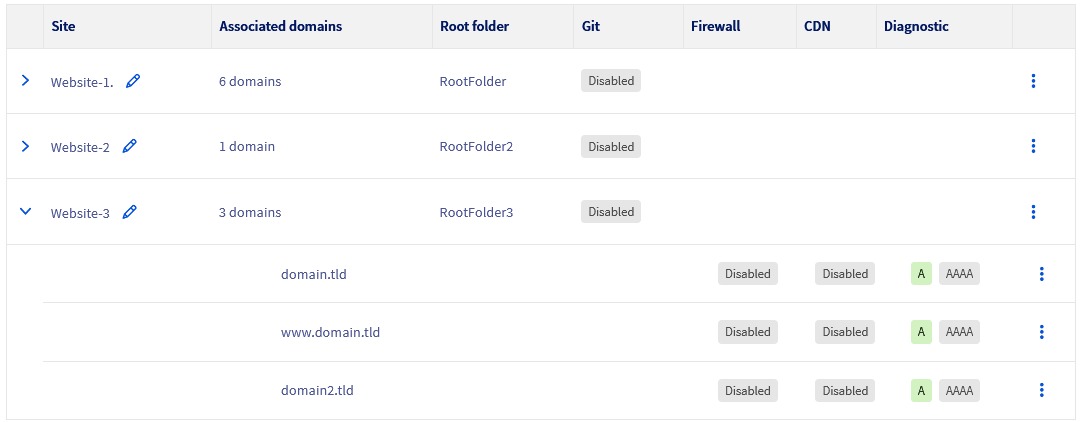
Shared hosting can suit a relatively simple store. A VPS gives you a different resource and control model, and managed application hosting can pair resource allocation with provider help. The right category depends on what is constraining your store today. For shared hosting, cloud scaling and uptime guarantees, read the cloud hosting versus shared hosting choice guide.
One WooCommerce owner described moving from inexpensive shared hosting to a VPS with server-level caching:
Been running a WooCommerce store for a while now and wanted to share a few things that made a real difference for me — stuff I had to learn the hard way. Hosting matters more than you think. I started on cheap shared hosting and wondered why my store was slow and crashing during traffic spikes. Moving to a proper VPS with server-level caching was a turning point. Page speed went from 4-5 seconds to under 1.5. If your store feels sluggish, look at your hosting before blaming WooCommerce.
The merchant changed two things at once, the VPS and the caching, so the timings can’t tell you which one did the work.
Before you pay for a bigger tier, collect evidence from the environment where the slowdown happens:
- CPU and memory: Look for saturation during busy periods, including any limits the plan imposes.
- Request and worker activity: Look for queues, exhausted PHP workers, requests waiting for execution and connection limits.
- Database behavior: Look for slow queries, locking and delays that line up with cart or order activity.
- Application and error logs: Match failures to particular requests, extensions, scheduled jobs or runtime errors.
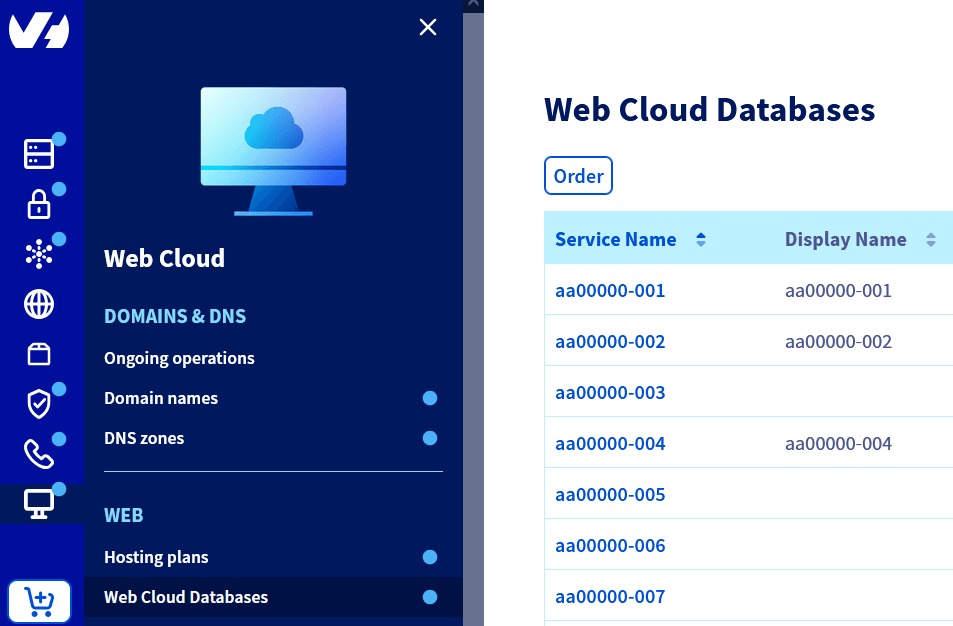
A bigger server adds headroom when resource limits are the cause. A slow extension, an expensive query or a bad configuration will keep eating resources on the new host. For CPU limits, RAM allocation and server administration across plan types, see the shared, VPS and dedicated hosting comparison.
Estimate how many uncached shopping requests can happen together
Resource demand depends on how many customer-specific requests and background jobs run at once. Browsing a product page, updating a cart, submitting payment details and syncing inventory load the server differently, even at the same monthly visitor total.
A specialty-coffee merchant in Romania described repeated trouble despite buying a plan intended for WooCommerce:
Started a few years ago, build 100% by me in WooC and grown pretty well. We have a hosting today, on a romanian company with a dedicated plan for Woocommerce. But most of the time when we have like 20 customers in the same time on the website, it crashes. And most of the issues are that CPU limit was reached on the hosting. Ticket opened to them and every time the same answer, the website is too heavy, too many plugins etc.
The store hit its CPU limit at about 20 shoppers at once. The thread doesn’t say how much the application, background jobs and the host’s limits each contributed.
Define two workloads for your store:
- Ordinary busy period: A realistic mix of browsing, cart updates, checkout submissions, account activity and scheduled application work.
- Short demand spike: A concentrated burst of shopper activity, such as demand after a promotion, while normal background tasks keep running.
Build the mix from your real order activity and the application’s actual operations.
Run the workload in a controlled environment with test payments. Record completed and failed requests, timeouts, resource saturation and order outcomes. If the host caps workers or CPU, the test has to hit those caps with a realistic mix of tasks.
On a fully hosted platform, use testing methods the provider approves. If you can’t run controlled tests or see server metrics, get documented capacity limits, performance evidence and an escalation procedure for your expected checkout workload.
Measure the page the customer sees and the request the server processes
Google’s good Core Web Vitals thresholds describe what the visitor experiences:
- Largest Contentful Paint (LCP): within 2.5 seconds.
- Interaction to Next Paint (INP): below 200 milliseconds.
- Cumulative Layout Shift (CLS): below 0.1.
In browser navigation, Time to First Byte (TTFB) includes connection and network delays as well as the wait for the server response. First Contentful Paint (FCP) marks the first displayed content. One WooCommerce merchant reported mobile TTFB of 9.1 seconds and desktop TTFB of 10.7 seconds despite using caching.
Record the test context and cache status separately for public storefront pages and dynamic checkout requests. Keep field observations apart from controlled diagnostics.
Verify checkout sessions and completed orders

A reliable host must support customer-specific actions through the whole purchase. Caching a public product page is a different job from handling one shopper’s session, payment state and order.
WooCommerce’s caching configuration guidance names Cart, My Account and Checkout as pages that need dynamic treatment outside ordinary page caching. Session cookies and database-cache behavior can also need configuration for your installation.
| Store operation | Cache consideration | Evidence of correct behavior |
|---|---|---|
| Public product or category page | May be cache-eligible according to configuration | Correct public content and expected navigation |
| Cart | Customer-specific dynamic state | Items, quantities, and displayed prices match the shopper’s session |
| Customer account | Authenticated customer data | Correct account details and session isolation |
| Checkout | Dynamic payment and order information | Expected payment options, totals, and checkout progression |
| Payment return or callback | Integration-specific transaction handling | Payment response matches the intended order |
| Stored order | Persistent transactional record | Correct order identity, status, items, and confirmation |
The last two rows matter because a confirmation screen is only one stage of an order. Payment information and the stored order state must agree.
One WooCommerce user described intermittent failures after changing a caching setup:
I am not a very experienced WordPress developer, so i used a ThemeForest theme called RAZZI, and everything was fine, and then i started seeing problems in the cache, so I installed LiteSpeed. Idk what the best settings to set up are; many customers’ checkout pages do not load, and for many, they load. For many, they see no payment method available. Help me. 🥲🥲 Also, the website is slow and laggy even though I have a good plan with Hostinger.
Some customers’ checkout pages didn’t load, and others saw no payment method. The thread never settles whether the theme, the caching, the host or another component caused it.
A controlled purchase rehearsal
Use the test facility supported by your platform and payment provider. On Shopify, payment test mode can interrupt live card checkout and doesn’t cover every payment method, so use a nonproduction or provider-approved test setup that won’t disrupt active shoppers. Use representative customer accounts, test orders and your real integrations where feasible. Never create real customer charges or touch live orders. The right test setup depends on the payment integration.
- Build a cart: Add an item, change its quantity, and confirm the displayed quantity and price.
- Try both customer paths: Use guest checkout and a logged-in account wherever both are enabled.
- Confirm payment availability: The configured test payment method appears and the correct order amount passes through.
- Complete the transaction: Follow the sandbox payment flow, including the expected redirect or callback.
- Reconcile the result: Match the payment response, order record, status, items, totals and customer confirmation.
- Test a failure: Trigger a payment failure or timeout and confirm the store doesn’t treat the incomplete transaction as paid.
Then repeat these checks under the concurrent workload you defined earlier. Keep shopper sessions separate so one successful order can’t hide another customer’s wrong cart or account state.
Ask who handles security, payments and PCI scope
HTTPS protects traffic between the customer’s browser and your site. It is one part of ecommerce security. Access management, application updates, payment integrations and merchant compliance each have their own owners.
Shopify documents TLS support for qualifying connected domains. On a self-managed VPS, certificate setup and renewal normally fall to the operator. A managed WooCommerce host may handle server-level security while you stay responsible for plugin choices and payment integration behavior.
| Security responsibility | Hosted platform | Managed WooCommerce | Self-managed VPS |
|---|---|---|---|
| TLS and underlying platform infrastructure | Usually provider-managed within service scope | Depends on host agreement | Operator-managed |
| Server and runtime patching | Platform responsibility within its service | Host-managed to the extent contracted | Operator-managed |
| Store integrations and application-specific settings | Merchant and platform roles vary | Merchant/developer, sometimes with host assistance | Merchant/developer |
| Payment-page scripts and PCI evidence | Depends on payment implementation and provider obligations | Depends on integration and merchant scope | Depends on integration and merchant scope |
| Account access and permissions | Shared operational responsibilities | Shared operational responsibilities | Operator and merchant |
| Incident investigation and escalation | According to platform agreement | According to hosting and support agreement | Internal team and contracted specialists |
WooCommerce’s PCI DSS guidance describes merchant responsibilities alongside provider controls. PCI Security Standards Council FAQ 1588 covers one SAQ A condition: script security for an embedded payment form supplied by a payment provider. For that condition, it treats an embedded form differently from redirecting the customer to the processor. Other PCI DSS obligations depend on your full payment implementation and the assessment criteria that apply to you.
An SSL certificate or a “PCI-ready” label doesn’t show that you’ve met every requirement. A customized payment page, an embedded form and a provider-hosted redirect carry different responsibilities.
Get the hosting arrangement’s security and payment responsibilities in writing. Find out who controls payment-page scripts, access, software patching, incident response and third-party integrations. If your PCI classification is unclear, ask your payment provider or a qualified assessor. If nobody owns a required payment-page control, withhold approval of the plan.
Verify recoverability without silently rewinding orders
Recovering a store means two separate things: getting the software running for customers, and keeping the transaction history from before the failure.
WooCommerce keeps themes, extensions and uploaded media in WordPress files such as wp-content. Its database holds products, orders, settings and other essential records. The WooCommerce backup documentation separates these components and explains why a WordPress content XML export can’t replace a proper database backup.
Say a store takes a full backup at midnight. Paid orders keep coming in through the morning. At lunchtime, a broken deployment forces the team to restore the midnight copy.
The storefront may come back while the database shows an earlier order state. Payment confirmations, customer records and inventory changes made since the backup need a preservation or reconciliation process.
Two recovery terms define the requirement:
- Recovery point objective (RPO): How much recent data the recovery design can afford to lose, expressed in time.
- Recovery time objective (RTO): How long restoring the required service is expected to take.
A store taking frequent paid orders may need a tighter recovery point than one that rarely changes. Actual values depend on your business and the contracted recovery capability.
What a recoverable store looks like
Ask each finalist how its backups handle database content, file changes, current order storage, retention and an independent backup copy. For an HPOS-enabled store, recovery must cover the dedicated order tables and integration state.
For WooCommerce, rehearse restoring the files and database in a controlled environment, separate from the selling store so paid production orders stay untouched. For a hosted platform, find out which merchant records you can export or recover through provider features or apps, and how you would reconcile recent orders. Shopify’s admin doesn’t directly import orders from CSV exports.
A passing rehearsal shows the following:
- Scope: For WooCommerce, the expected files, database records, settings and essential extensions come back. For a hosted platform, document which records and settings its recovery options can recreate.
- Orders: Paid orders, order IDs, statuses and customer records match the recovery point or the available records.
- Stock: Inventory adjustments don’t erase or duplicate the effect of recent orders.
- Integrations: Payment, shipping and inventory connections resume with the expected state.
- Ownership: A named operator, a documented sequence and an observable completion result.
Compare total ownership cost, renewals and incident support
A low advertised monthly price can sit next to large recurring costs elsewhere in your operation. Compare candidates only when you apply the same requirements, term and support expectations to each.
Build two annual views for each finalist: the first contract year and a renewal year under the quoted terms. Use each provider’s dated offer with the currency and plan stated, and leave unknown prices blank.
Include these cost categories:
- Platform or hosting subscription: Initial term, renewal rate, billing commitment, usage restrictions and overage provisions.
- Application subscriptions: Paid plugins, hosted-platform apps, integration services and any tool your workflow depends on.
- Backup and operating services: Recovery features, staging, monitoring, CDN or edge services, and security add-ons that are billed separately.
- Domain and email: Registration, renewal and hosted-mail costs outside the base plan.
- Technical labor: Server administration, application maintenance, troubleshooting, specialist support and migration work.
A self-managed VPS with a cheap infrastructure subscription can carry a heavy operational workload. A fully hosted service can cut some administration but add recurring app subscriptions or limits on custom integration work.
Scrutinize support as closely as price. A host that answers infrastructure incidents quickly may have no duty to debug a specific WooCommerce extension. The words 24/7 support need a defined scope.
Record who responds to server outages, exhausted resources, broken checkout transactions, application conflicts, backup restoration and escalation to a payment provider. Separate an initial response from a commitment to diagnose or resolve the issue.
For renewal charges, backup fees and support limits across cheap plans, see the low-cost hosting comparison.
Use a store-specific acceptance checklist before you commit
Once you have evaluated the operating model, software fit, workload, security obligations and costs, give each candidate a verdict based on evidence.
Treat compatibility, correct transactions under representative demand, an acceptable security arrangement and usable order recovery as hard gates. Reject a candidate that fails any of them, whatever its price.
| Criterion | Decision role | Evidence to record | Status |
|---|---|---|---|
| Required application and integration compatibility | Hard gate | Version and dependency requirements matched to plan specifications | Pass / Fail / Unknown |
| Dynamic cart, checkout, payment, and order correctness | Hard gate | Controlled transaction results and associated records | Pass / Fail / Unknown |
| Usable order recovery | Hard gate | WooCommerce restore rehearsal or documented hosted-platform recovery arrangement; recovery objectives and order-reconciliation evidence | Pass / Fail / Unknown |
| Acceptable payment-security responsibility | Hard gate | Documented allocation of required controls and obligations | Pass / Fail / Unknown |
| Checkout reliability under representative workload | Hard gate | Concurrent test outcomes or provider-supported capacity evidence; transaction success, timeouts, and failures | Pass / Fail / Unknown |
| Response time and headroom once transactions work | Trade-off against defined operating objectives | Relevant response measurements and capacity evidence | Pass / Fail / Unknown |
| Operational support and control | Trade-off | Support scope, escalation ownership, and customization capability | Pass / Fail / Unknown |
| Full recurring cost and exit complexity | Trade-off | Annualized quotations, renewal terms, integrations, and migration obligations | Pass / Fail / Unknown |
An unknown hard gate needs evidence before approval. Among the candidates that pass, compare response-time headroom, service responsibilities and full cost.
Picture three candidates. One is easy to administer but can’t support a required inventory integration. Another meets the software requirements but fails checkout under the representative load. The third passes the transaction and recovery tests and has documented support and renewal terms.
Keep a final evidence record: test environment, test date, payment-sandbox conditions, observed results, the responsible person and unresolved issues. A staged pass justifies selection and a controlled rollout.
If the chosen arrangement replaces a live store, plan for data ownership, integrations, cutover and rollback. The WordPress migration guide covers the technical move, and hosting migration without email downtime covers mail continuity, including MX records, authoritative nameservers and SPF policies.