
Stay on shared hosting if your site is modest and predictable and the plan’s documented resources, compatibility and recovery options cover what you need. Move to managed cloud when you can measure a limit you keep hitting, or when you need scaling or availability that shared hosting can’t give. A self-managed cloud VM also takes the skills or budget to maintain it.
Cloud Hosting vs Shared Hosting: What Are You Buying?

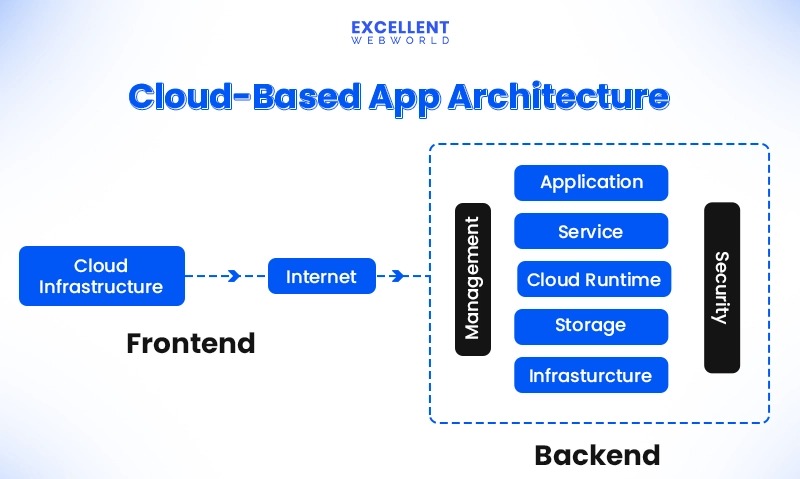
Shared hosting, managed cloud hosting and a self-managed cloud virtual machine can all run the same website. They differ in resource allocation, access, maintenance and failure recovery, and those differences matter more than the label. For CPU limits, RAM and server administration, see the shared, VPS, and dedicated hosting decision matrix.
On a typical shared hosting plan, several customer accounts use the same underlying server infrastructure. The provider runs the platform and caps what each account can consume. You work through a control panel and application tools, with limited access to the operating system.
Managed cloud hosting can give you a similar environment on virtualized or pooled infrastructure, with larger resource allocations or provider-managed capacity changes. Managed means different things on different plans, so read what the provider actually handles. For renewal charges, backup fees and support limits, see how to calculate the full cost of budget hosting.
A cloud virtual machine gives you much more control over the system environment. In return, you administer the operating system, the web stack and any services the provider doesn’t manage.
| What matters | Shared hosting | Managed cloud hosting | Self-managed cloud VM |
|---|---|---|---|
| Customer access | Account and control-panel access | Provider-defined panel and deployment tools | System-level control |
| Resources | Per-account limits | Plan allocations, sometimes with boosts | Selected VM resources, subject to platform policies |
| Scaling | A plan change | Manual or managed capacity options, depending on the offer | Resize, or separately engineered scaling |
| Recovery | The provider’s stated architecture and restore service | The plan’s own recovery arrangements | You design it or buy it separately |
| Maintenance | Provider manages specified platform components | Provider manages contracted components | You manage most of the stack |
| Cost structure | A packaged subscription | Packaged or metered, depending on the product | Infrastructure plus related services and administration |
A virtual machine can share a physical host with other virtual machines. Compute placement, resource guarantees and tenant isolation therefore need their own answers, whatever the marketing category.
Match Hosting to Your Website’s Workload
A mostly cached brochure site can run well on shared hosting when demand is predictable and the plan limits are adequate. Checkout, personalized WooCommerce pages and background jobs can use up CPU and PHP workers even with few visitors. On hosts running CloudLinux, account limits can cover CPU, memory, entry processes, disk I/O and IOPS, and the settings vary by provider, as CloudLinux’s resource-limit documentation describes. Write down the site’s application, dynamic requests, peak demand, background jobs, database and storage needs, required runtime and actual hosting limits.
Will Cloud Hosting Make Your Website Faster?
Cloud hosting speeds up a site only when the new environment fixes the actual cause of the slowdown. Start by finding where the delay occurs and which resources are constrained.
Time to First Byte (TTFB) measures the interval before the browser receives the first response byte. It includes connection and network activity as well as server response time, as Google’s TTFB guidance explains.
First Contentful Paint (FCP) and Largest Contentful Paint (LCP) mark different milestones in rendering the page. Application code, server response, images, scripts, caching and delivery conditions all affect them.
A cached home page can look quick while an uncached checkout or search request performs poorly. Inefficient plugins, database queries and automated requests add to the load too.
One WooCommerce owner described that mismatch:
I’m troubleshooting a WordPress + WooCommerce site that constantly hits 100% CPU on a shared hosting server (cPanel, 2GB RAM limit) Is this server just too bad for a web shop( not that big as in not many ppl visit at one time ) Setup: WordPress 6.9 WooCommerce Porto theme + Slider Revolution I am having extremyl slow FCP/LCP (15-25s) Random 507 Insufficient storage errors (seems Ram related)
HTTP 507 Insufficient Storage means the server can’t store what an operation requires. For this error, check the server logs and the relevant storage or quota counters alongside CPU, memory and request activity before you decide between more hosting capacity and a software fix. The poster’s suggestion that RAM caused the error is unconfirmed.
Build a baseline from repeated tests under matched conditions.
| Test condition | Record | What it helps identify |
|---|---|---|
| Cached page request | TTFB, FCP/LCP, test region, cache state and device or test environment | Delivery and rendering behavior for cached pages |
| Uncached dynamic request | TTFB, errors, application and database activity | Origin response under application work |
| Concurrent requests | Concurrent request count or request rate, response-time distribution, CPU, worker limits and errors | Whether demand coincides with resource contention |
| Staging comparison | Same application, data, cache condition and test location where feasible | Whether the proposed environment changes the observed result |
Run each request repeatedly and keep the median or the distribution, not just individual slow results. Record CPU, memory, worker and I/O measurements next to the timings.
Google PageSpeed Insights combines Lighthouse lab diagnostics with Chrome UX Report field data when available. The field data covers the preceding 28 days. When page-level samples are insufficient, PSI shows origin-wide data instead, and if the origin also lacks sufficient samples, field data is unavailable.
A resource upgrade fixes exhausted capacity. Slow database queries still need a code or configuration change.
Scaling and Uptime: What Is Included?
Scaling and availability are different things. A plan can offer more CPU or memory without scaling automatically with traffic, and an application can have spare capacity without surviving the loss of its only origin.
A manual upgrade changes the purchased allocation. Vertical scaling adds resources to a machine or instance. Horizontal scaling spreads the workload across multiple application instances. Automatic scaling needs a mechanism that adds or removes capacity under defined conditions.
Take a cloud VM that hosts both the application and its database in one location. If that instance or a required dependency goes down, the site goes offline even though it runs on a cloud platform. A CDN can deliver cached content, but the origin and its database still fail on their own.
A resilient design can use independent application instances, routing between healthy origins, and replicated or otherwise recoverable application state. Watch the database and sessions: sending traffic to another web server doesn’t restore the data the application needs.
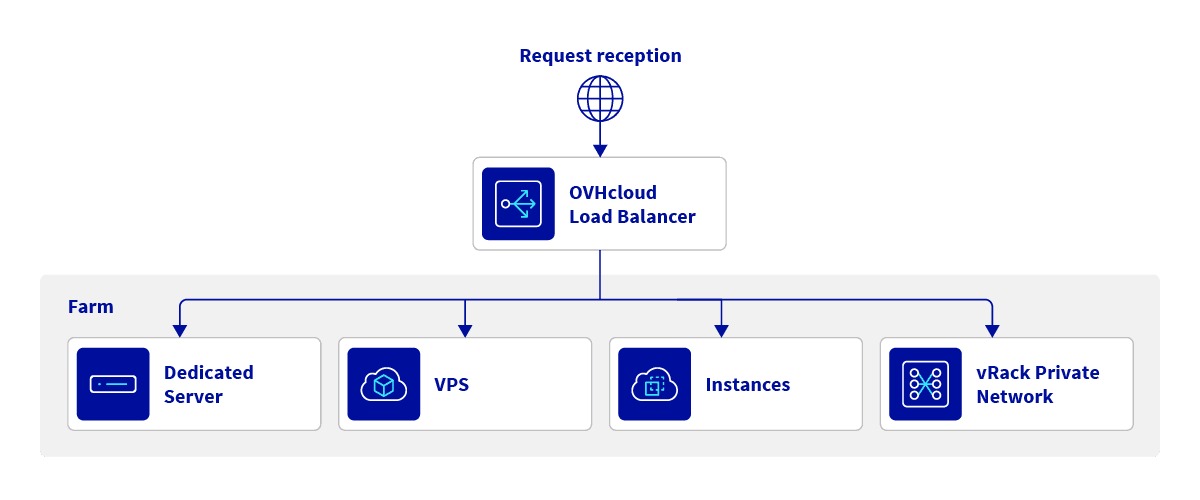
AWS Well-Architected reliability guidance recommends distributing workloads across multiple Availability Zones or locations to improve fault isolation. Cloudflare’s load-balancing documentation describes origin pools, health monitors and routing to healthy destinations.
A hosting package includes these only if its terms say so.
A backup restores data or services after an incident. It does not keep the site running during one.
Before you accept a scaling or availability claim, ask:
- Scaling behavior: Does it need a plan change, allow a temporary boost, resize a VM, or scale automatically? What triggers it?
- Active origins: How many application origins serve traffic, and where are they?
- Failure detection: Are health checks, routing policies and automatic failover included and enabled?
- Application state: How are the database and sessions handled if an origin fails?
- Recovery: RTO is the maximum acceptable time to restore service; RPO is the maximum acceptable age of the recoverable data. What restoration process and service commitments support your RTO and RPO?
- Service agreement: Which service is covered, how is availability measured, what exclusions apply, and what remedies are specified?
Geographic distribution improves fault tolerance but adds replication complexity and cost.
Who Maintains and Secures the Website?
Extra server control only helps if someone can run the environment safely. For a small business, who does what among the host, the developer and the site owner often matters as much as CPU or memory.
On shared hosting, the provider maintains most of the underlying platform. You manage the website application, users, credentials and anything else you control.
A managed cloud product takes on more infrastructure tasks, but application repair and some restoration work can still land on you. Platform patching, runtime updates, malware response, backup retention and restoration can each belong to a different party.
On a self-managed VM, you take on much more: the OS, web server, application stack, backup automation, monitoring and incidents.
Compatibility can decide the question. A change that looks good from the infrastructure side can break the tools you use to deploy and maintain the site.
A business owner found that moving from shared hosting to a VPS disrupted the developer’s deployment workflow:
Ever since we switched from a shared server to VPS, because our hosting service Hostnet said our website desperately needed more RAM, our developer can’t upload his changes to the live website anymore. He suggested we might as well switch to a different hosting service, since there is no need for VPS and Hostnet is expensive. He suggested Hostinger (shared server). However I’ve been looking into cloudservers (Cloudways with DigitalOcean), since we are planning to upload so many photos. Our developer doesn’t want to, since it doesn’t have cPanel. He says we are used to cPanel and without it, it will be very hard to upload to the website.
The decision stopped being about RAM. The developer’s upload workflow had to keep working on whatever host came next.
For each plan, decide whether the provider or you own each of these:
- System administration: Operating-system patches, web-server configuration and runtime maintenance.
- Application maintenance: CMS, plugins, framework dependencies, credentials and user access.
- Data protection: Backup creation, retention, restore access and restoration responsibility.
- Monitoring: Resource alerts, availability monitoring and incident response.
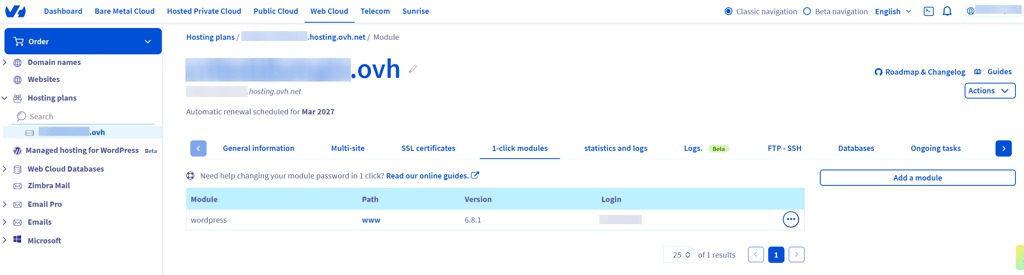
- Deployment: cPanel, SSH, SFTP, Git, Composer, cron, database access and the runtime versions the website needs.
What Does Hosting Cost Over a Year?
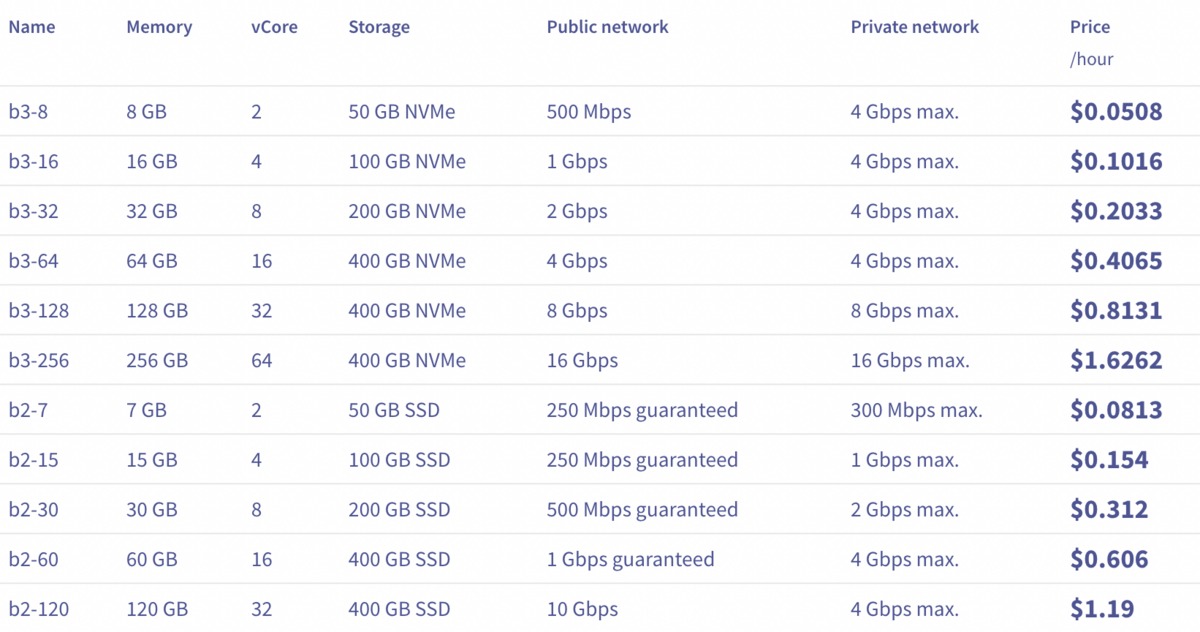
A monthly promotional price is only one part of the cost. Compare plans on the same workload, contract period and operating duties.
Shared hosting commonly bundles its services into one subscription. Managed cloud plans can use subscriptions or other billing structures. Self-managed cloud infrastructure can add separate charges for storage, transfer and supporting services, depending on the product.
Building an unmanaged VPS environment for larger WordPress and WooCommerce workloads took one operator a lot of setup work:
Just sharing a win – for years we’ve struggled hosting larger WordPress/WooCommerce sites with lots of plugins, page builders etc. We tried so many of the ‘mainstream’ hosts that provide VPS (SiteGround, WPMUDev etc) and they were all painfully slow – some managed to be slower than their shared hosting solutions – not sure how. Eventually we decided to build our own from an unmanaged VPS and create out own setup. With a lot of AI help and lots of trial and error along the way, we’ve ended up with a solid setup specifically tuned for WordPress and WooCommerce workloads.
The fuller account reports extra work on backups, security and more complex configurations. The operator thought the result was worth it. Technical flexibility came with administrative effort.
Use the same 12-month horizon for each offer.
| Cost category | Number to collect | What it covers |
|---|---|---|
| Hosting subscription | Introductory and renewal charges | Contract length, taxes and cancellation terms |
| Resources and usage | Included allocations and billed extras | Compute, storage, transfer and overages where they apply |
| Managed services | Included or extra charges | Support, control panel, monitoring and security services |
| Backup and recovery | Retention, restoration and related fees | The backup service and the cost to restore the site |
| Administration | Estimated hours times your actual labor rate | Patching, troubleshooting, monitoring and incident handling |
| Migration | One-time setup and transfer effort | Data transfer, application setup and required testing |
For each plan, add up the charges for the 12 months, the extras you expect to be billed, and the value of your time spent on administration and migration.
If an offer asks for payment or commitment beyond the first year, list the total minimum contract obligation separately from the 12-month comparison. A lower first-year average can come with a larger upfront payment.
Leave unknown charges marked unknown until the provider gives you the terms. Treating an unspecified service as free skews the comparison as much as ignoring the renewal rate does.
A higher hosting fee can be reasonable when it removes operating work that would otherwise take a lot of time.
Which Hosting Option Fits Your Site?
Use this table after you have established the site’s workload, observed constraints, resilience requirements and operating responsibilities.
| Site situation | Start with | Switch if |
|---|---|---|
| Small cached brochure site or blog | Adequate shared hosting | Limits are sustained, the runtime is incompatible or required recovery is insufficient |
| WooCommerce store with dynamic checkout | Shared hosting if checkout fits its limits; managed cloud if a capacity gap persists | Persistent, measured resource or database limits |
| Site with recurring traffic peaks | Shared hosting if peak headroom is sufficient; managed cloud with verified scaling if it is not | The current plan can’t handle peaks or upgrade in time |
| Custom application with specific deployment tools | Hosting compatible with your development workflow | Required runtime or access is unavailable |
| Application with defined availability obligations | Hosting with documented failover and recovery | No evidence that the product meets the required failure behavior |
| Operator who needs server-level control | Managed or self-managed VM, depending on capability | Administration, monitoring or recovery obligations exceed team capacity |
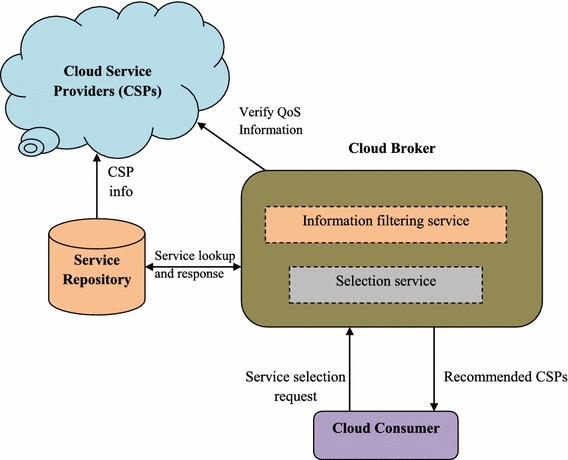
When two offers look equally suitable, favor the one whose documented resource limits, recovery commitments and deployment support match the site’s stated requirements. Write down the constraint or service change that would make you revisit the choice.
Before Migrating, Protect the Recovery Path
A migration changes the operating environment and can affect deployment, data access, DNS and email configuration. A better plan still needs a workable transition and recovery path. For WordPress databases, site files and DNS cutover, see the WordPress migration and rollback checklist.

The migration readiness gate has five items:
- Environment compatibility: The destination supports the site’s runtime, database, extensions, background tasks and deployment method.
- Recoverable copy: A backup exists, restoration works and someone owns recovery. Having a backup, being able to access it and being able to restore from it are three separate things.
- Functional staging: Checkout, forms and relevant email flows work in the staged environment. Compare performance against the baseline you set earlier.
- DNS and email continuity: Nameservers, DNS records, MX records and the link between web hosting and the email provider are documented for cutover.
- Cutover ownership: The transition, monitoring period, rollback conditions and responsible operator are defined.
A migration can cause application, configuration and DNS problems unrelated to the performance issue that prompted it. A tested rollback gives you a recovery option, though it can’t promise uninterrupted service.