For a US team planning a cloud workload, choose the simplest architecture that meets your data, recovery, security, performance, and operational requirements. If a requirement you can’t compromise on can’t be met or tested, rethink the service or deployment model before you commit. Document the workload, then check recovery, operating responsibility, and total cost against a small sample design before you pick a provider.
What Cloud Architecture Decides
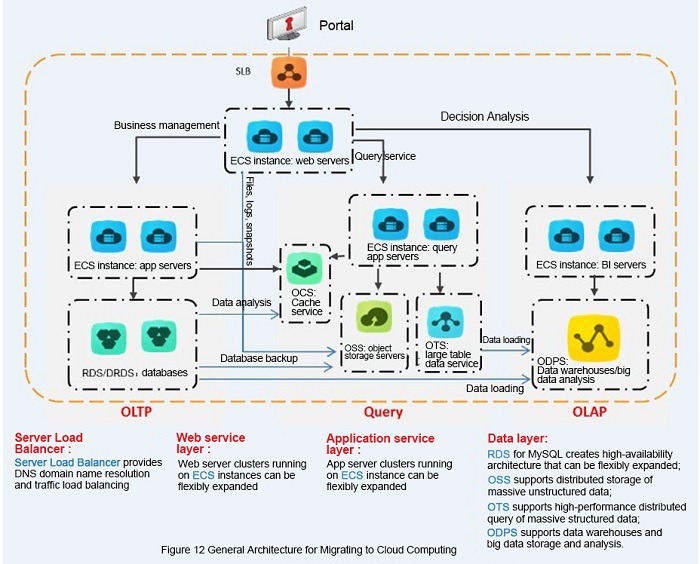
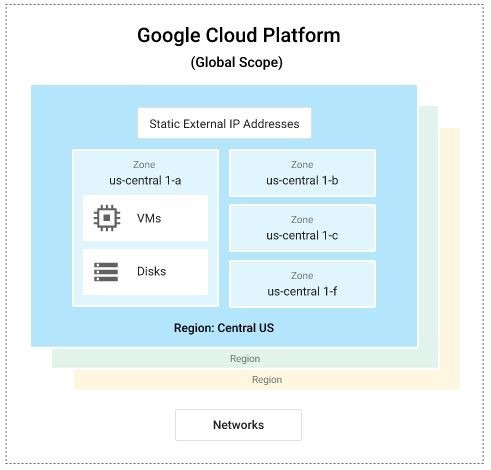
Cloud architecture is the plan for how compute, data, networking, identity, and operational controls work together for one workload. Cloud computing describes how resources are delivered. Architecture settles how they connect, who operates what, which limits apply, and what happens when a part fails. NIST SP 800-145, published in September 2011, identifies five essential cloud characteristics, three service models, and four deployment models. A good architecture diagram shows the connections between components along with the requirements and failure paths that explain them.
Start with the Workload and Its Nonnegotiable Requirements
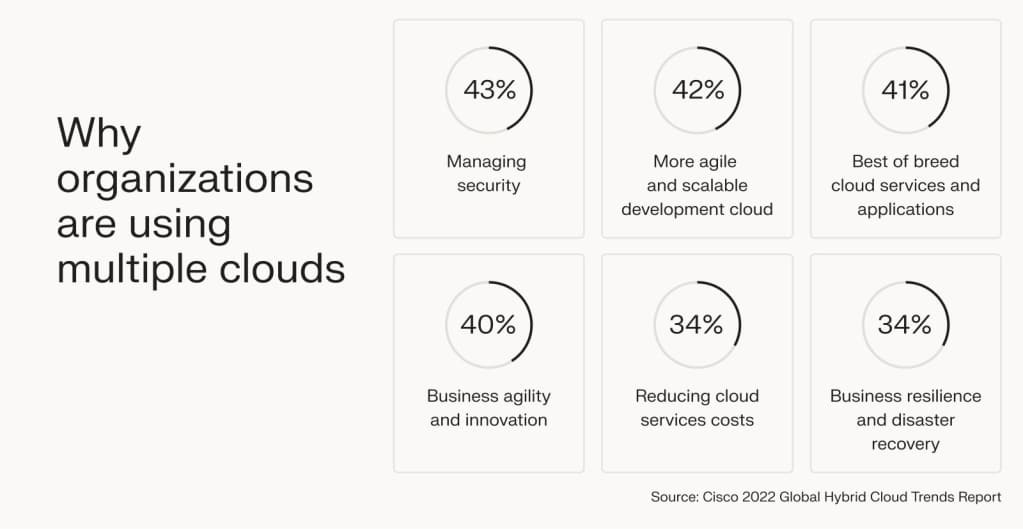
What a workload does decides which cloud designs work. An application with unpredictable bursts of requests needs different capacity than a database application that runs continuously and has fixed network dependencies. One provider can host both, but the suitable architectures look very different.
Before you choose infrastructure, describe what the application does and what must stay true when demand changes or a component goes down.
The Azure Architecture Center’s design-pattern guidance stresses functional and nonfunctional requirements because each architectural pattern solves specific problems and brings trade-offs. This matters when a managed service looks promising but conflicts with your existing database, application runtime, or connectivity requirement.
Build a workload intake card
| Requirement | Information to capture | Architectural consequence |
|---|---|---|
| Application behavior | Main functions, users, steady or variable demand | Compute capacity and scaling approach |
| Application state | Stateless requests, databases, stored files, persistent sessions | Data placement and recovery design |
| Dependencies | Legacy systems, external APIs, databases, existing identity systems | Integration and connectivity choices |
| Data boundaries | Sensitive information, required locations, access restrictions | Deployment and security constraints |
| Performance | Acceptable response behavior, critical network paths | Placement and latency evaluation |
| Continuity | Maximum tolerable outage and data loss | Recovery objectives and failure isolation |
| Operations | Available skills, support coverage, change windows | Managed-service suitability and ownership |
Record actual requirements where you know them. Leave numerical performance and recovery targets blank until the workload owner sets them. Add your current operating-cost baseline too, because the existing environment is the starting point for any migration comparison.
Separate requirements from preferences
Some requirements rule an architecture out. The application may depend on a system that cannot be moved, need a particular network connection, or have recovery objectives the proposed design has no credible way to meet.
Other choices are preferences, such as familiar development tools or a managed service that cuts maintenance work. Use them to shortlist after the hard requirements are settled.
Take an illustrative US web application with highly variable request demand. Elastic compute is attractive there, provided its persistent data and external integrations tolerate the chosen execution model. A tightly coupled ERP workload faces entirely different migration and connectivity constraints.
Map the Building Blocks and the Dependencies Between Them
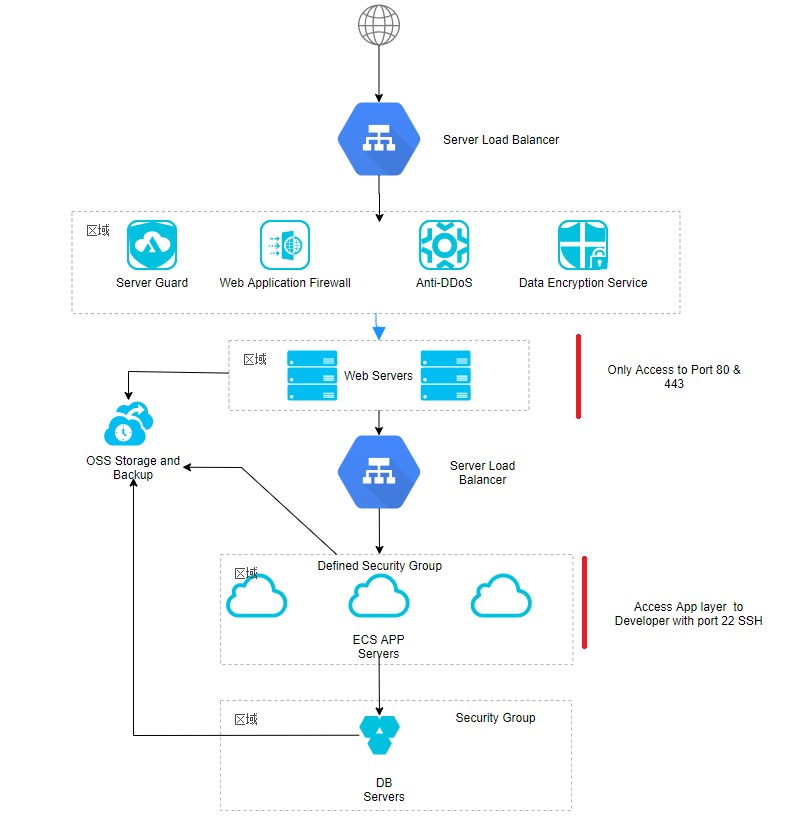
You understand a cloud architecture once you can follow a request from its entry point through the application to its data and supporting services.
An illustrative request path:
Browser → network entry → application execution → database or object storage
IBM describes cloud architecture through front-end, back-end, network, and delivery-model components. An operational design also has to expose the dependencies that affect deployment, security, monitoring, and recovery.
Show the dependencies that change behavior
The application tier can handle requests without keeping durable state. The database and object storage hold information that must outlast any single application instance. Replacing a failed application instance is a different job from recovering corrupted data.
Identity permissions, secrets, logging, and monitoring sit next to the components they govern. A deployment process needs enough authorization to make changes, and that authorization should stay narrow.
Choose an application structure before selecting products
Component relationships matter as much as component names. Three established styles show how application behavior shapes the design:
- N-tier: Splits an application into layers, which suits an existing layered workload with familiar boundaries. Dependencies between layers and coordinated changes still limit scaling and deployment.
- Web-queue-worker: Separates user-facing requests from background work through a queue. You have to account for queued work, retries, and the delay before processing finishes.
- Microservices: Separate deployable services support distinct ownership and release cycles. Distributed communication, data consistency, and operational coordination add complexity.
The Azure Architecture Center describes the benefits and constraints of each style. None of them decides whether you use IaaS, PaaS, or a particular provider.
Draw one dependency sketch and trace three paths through it:
- Normal request: Follow a client request through the entry point, application tier, and data store, including external service calls.
- Privileged change: Identify the identity and access controls that allow a deployment or configuration change.
- Data-store failure: Follow the affected application dependencies and identify the planned restoration path.
The sketch should expose network crossings, stateful components, and likely failure boundaries in your actual configuration.
Choose a Service Model by Who Operates the Stack
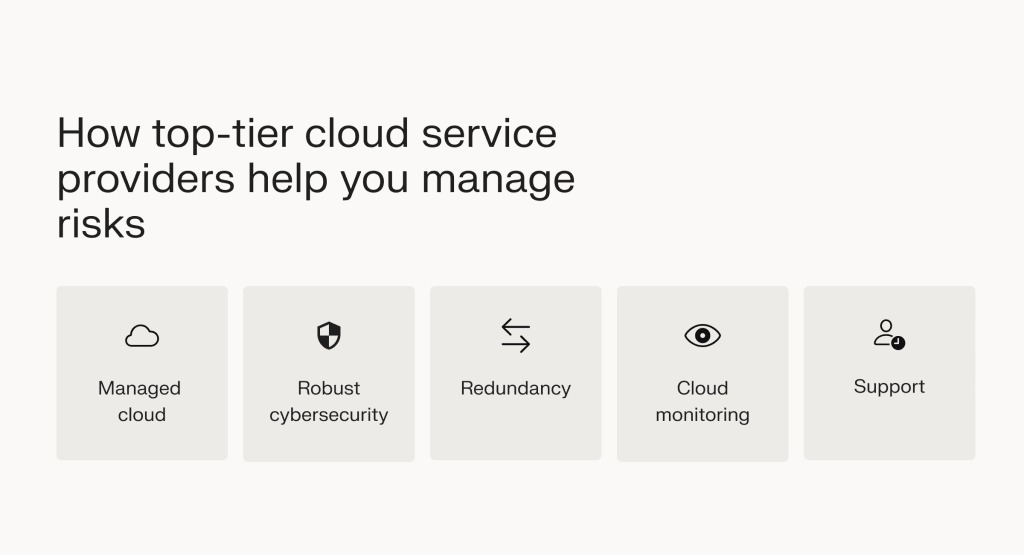
Your choice between infrastructure, platform, and software services decides which operational work stays with you. NIST’s three service models are IaaS, PaaS, and SaaS, and they differ in what the provider delivers and how much control you keep.
| Service model | What the provider supplies | Main customer decisions |
|---|---|---|
| IaaS | Infrastructure resources for compute, storage, and networking | Operating environment, applications, data, access, and configuration |
| PaaS | A managed application platform or runtime capability | Application code, configuration, data, integration, and access |
| SaaS | A provider-hosted application | Users, permissions, information governance, configuration, and organizational use |
The exact responsibility boundary depends on the selected service and its configuration. IaaS gives you substantial infrastructure control along with maintenance duties. A managed platform cuts operating-system and runtime work but leaves code and integration with your application team.
SaaS shifts the decision again. You control less of the underlying execution environment but still govern users, permissions, and information.
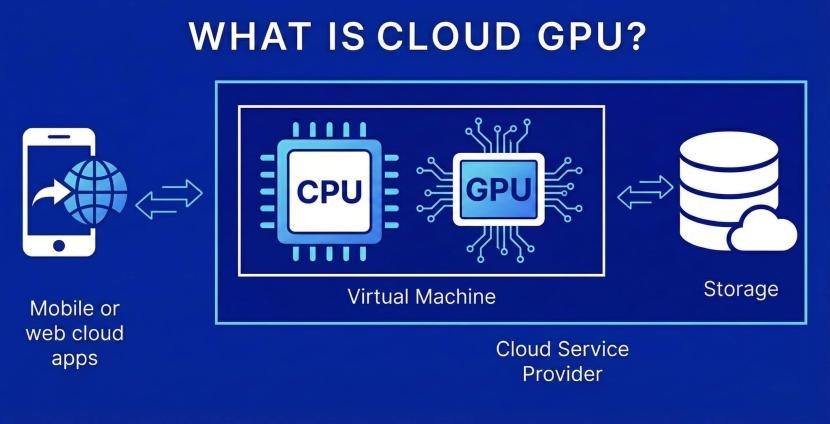
Assign an owner for each task
- Operating system and runtime updates: Decide which updates belong to the provider and which stay with you.
- Application changes: Assign code releases, compatibility checks, deployment, and rollback.
- Data management: Set access, retention, protection, and recovery obligations.
- Network and security configuration: Assign connectivity, permissions, and exposure of application resources.
- Incident diagnostics: Define log access, investigation, escalation, and correction responsibilities.
Write down the division of duties for the service you actually select, and name an operator for each task you own. Containers and serverless are implementation choices, and serverless describes an execution approach. The checks for IaaS infrastructure, PaaS runtimes, and SaaS applications are explained in the IaaS, PaaS, and SaaS responsibility matrix.
If your team has limited operational coverage, the administration a managed platform removes matters as much as its compute features. The deciding question is which duties remain and whether you can perform them reliably.
Choose a Deployment Topology That Fits Data and Connectivity
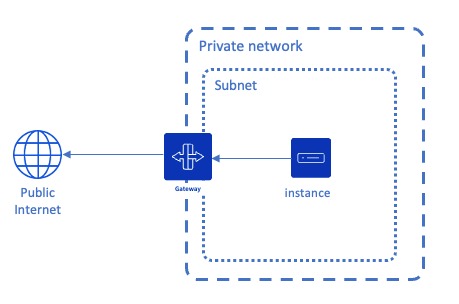
Deployment topology covers where infrastructure runs and how the environments connect. It is a separate decision from IaaS, PaaS, or SaaS.
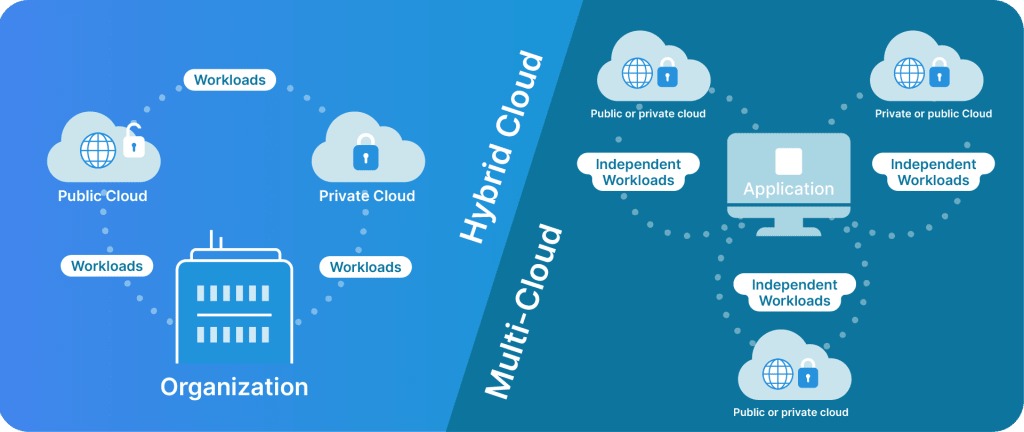
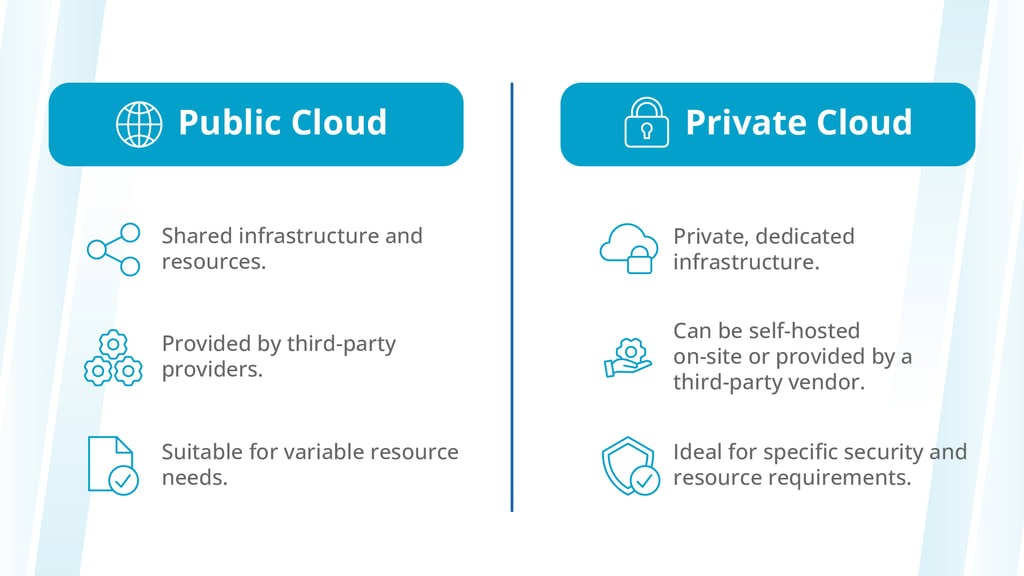
NIST defines four deployment models: private, community, public, and hybrid cloud. Multicloud, the deliberate use of multiple providers, is another architectural dimension.
Public, private, and hybrid choices
- Public cloud: Provider-run infrastructure with managed, scalable resources. Check that the services you need exist, that locations, integrations, and security controls fit, and that the economics work.
- Private cloud: A cloud environment built for one organization. Weigh its control and isolation against the infrastructure and operating work you take on.
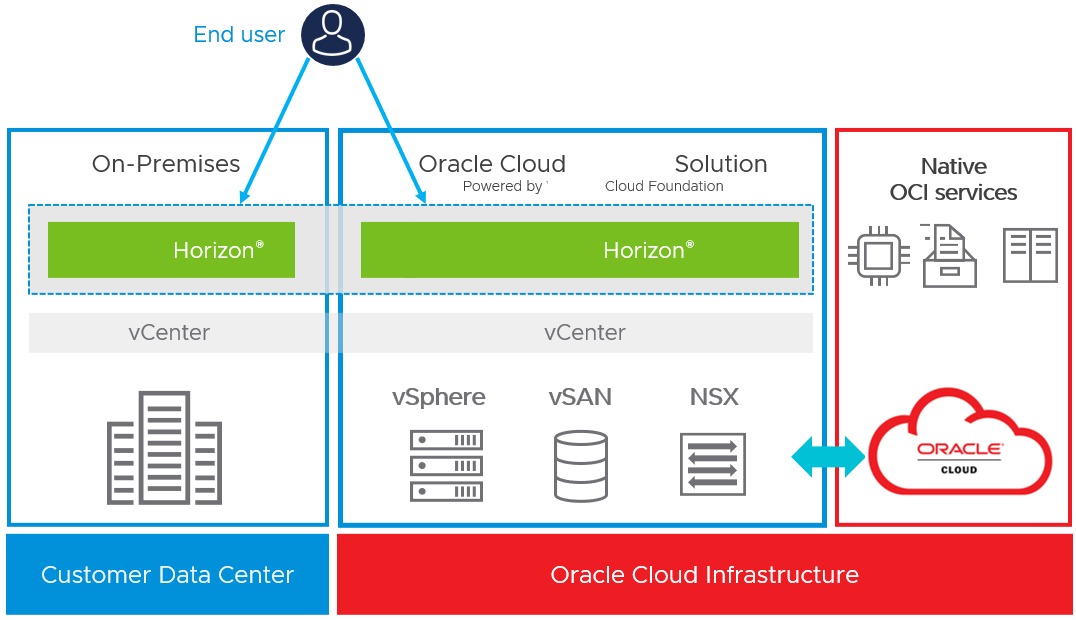
- Hybrid cloud: Separate environments, such as an on-premises installation and cloud resources, stay connected. Identity, data, application, and network dependencies across that connection become part of the design.
Hybrid architecture applies when important components or data have to stay in another environment. The network between them then becomes part of the application’s operating and failure model. If application tiers, network boundaries, or failure domains change your decision, check the constraints with the cloud architecture diagram verification checklist.
Multicloud requires a specific reason
Using AWS and another provider can meet a genuine requirement, but you add another operating environment, another identity and management toolset, and another data-transfer boundary. Multiple providers or regions don’t make recovery independent while shared dependencies remain.
The Google Cloud Well-Architected Framework treats hybrid and multicloud strategies as part of a broader architecture review.
Inspect the required network crossings
Mark where the application’s data lives and list every essential crossing between on-premises systems, cloud services, regions, or providers. Each connection the application depends on has to meet its latency, availability, identity, and data-movement requirements.
Take an ERP application that uses a local database or identity system: its cloud-hosted components still depend on the original site. Moving the application tier alone leaves that dependency in place.
Design for Failure, Security and Recovery
Reliable cloud architecture starts with how much service interruption and data loss you can accept. Redundant components, backups, and recovery procedures each serve a different purpose.
- Recovery time objective (RTO): The target duration within which the affected service should be restored after a disruption.
- Recovery point objective (RPO): The maximum acceptable time window of data that could be lost when recovering after a disruption.
Both targets come from workload requirements. A provider’s availability commitment doesn’t set either target for your complete application.
The AWS Well-Architected Framework names six pillars: operational excellence, security, reliability, performance efficiency, cost optimization, and sustainability.
What happens when a component fails?
Take an unavailable application instance. The design may offer another execution path, but that path needs working network access, permissions, and data dependencies.
If a database goes down or its data is corrupted, application redundancy does little until you can recover the required state. Backup copies, authorized recovery procedures, and observability determine what an operator can restore and verify.
A university IT manager raised a concrete recovery question while evaluating whether to move an ERP system because the organization operated in a hurricane-prone area:
I’m an Assistant Director in the IT department for a university. Several colleagues and I have been tasked with looking into moving our ERP system to the cloud, as we are in a hurricane prone area. We’re considering Azure at the moment. I’m interested to know if any who has moved their systems to cloud, do you regret it? Has anyone moved back to on prim for whatever reason?
The post describes an evaluation, with no completed migration. Here, recovery planning has to name which local dependencies stay exposed and how ERP operations would resume after a disruption.
Test one realistic failure
Pick a failure scenario and measure it against the workload’s recovery objectives. During the exercise, record:
- Affected component: Which application or data dependency is unavailable.
- Observed impact: Which user-facing functions stop working.
- Recovery time: How long restoration takes against the RTO.
- Recovered data: Whether restored state meets the RPO.
- Operational controls: Whether permissions, diagnostics, and recovery procedures work as designed.
Extra redundancy adds its own operating and infrastructure costs.
Compare Cloud Platforms by Operability and Workload Fit
Evaluate AWS, Azure, and Google Cloud against the same workload requirements and the same operational tests. A suitable service can still bring deployment, integration, and diagnostic work your team struggles to manage. For AWS services, Azure regions, and Google Cloud networking, compare the requirements in the workload-based AWS, Azure, and Google Cloud comparison.
Use an evidence-based platform scorecard
For each provider, enter “Meets” when a test or verified service requirement shows a match, “Needs verification” when evidence is missing, and “Fails” when evidence shows an incompatibility with a requirement you can’t compromise on.
| Evaluation criterion | AWS | Azure | Google Cloud | Evidence required |
|---|---|---|---|---|
| Required service and location | Verified service availability and workload constraints | |||
| Existing integration | Identity, runtime, database, and API compatibility | |||
| Deployment experience | Representative deployment result | |||
| Diagnostics | Accessible logs and identifiable failure causes | |||
| Operational skills | Team capability and required support | |||
| Network and data movement | Required routes and attributable costs | |||
| Exit and rollback | Recovery and portability plan |
A demonstrated failure against a hard requirement removes that candidate from the shortlist until the constraint or design changes.
Why operability deserves its own test
One developer described trouble deploying an Azure Functions workflow, then faster progress in an AWS experiment:
So…sorry, dnt mean to hate on Azure, but why is it so hard to grasp.. Here’s my example, breaking into cloud architecture, and have been trying to create serverless workflows. Mind you I already have a solid understanding, as I am currently in the IT field. Azure functions gave me endless problems….and I never got it working. The function never got triggered. No help provided by Azure in the form of tips etc. Certain function plans are not allowed on the free tier, just so much of hoops to jump through. Sifting through logs is daunting, as apparently you have to setup queries to see logs. AWS on the other hand, within 2 hours, I was able to get my app up and running. So much help just with AWS basic tips and suggested help articles. Am I the only one which feels this way about Azure..
That is one person’s setup and experience, and it says little about the providers themselves. Choose the service your own team can deploy, diagnose, and run.
Run a proof of concept
Build a small workload that keeps your most important dependencies. Perform one deployment, pull diagnostic information after a failure, make a controlled access change, and examine rollback behavior.
Record which tasks succeed, where you need expertise or support, and how much operating effort each task takes. Test every shortlisted provider under the same conditions.
Rehosting, Modernization and Total Operating Cost
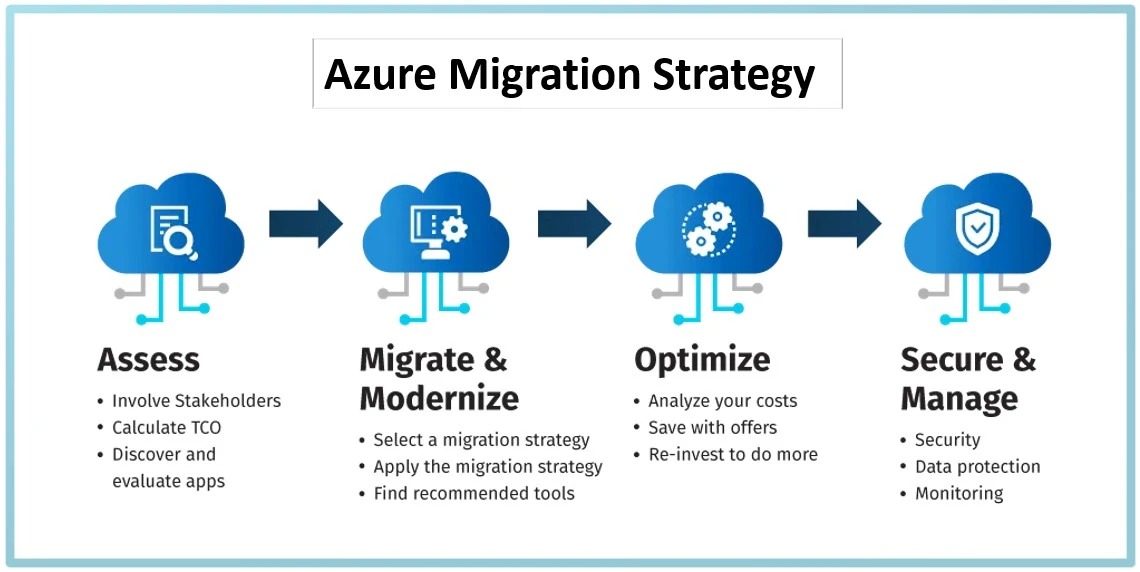
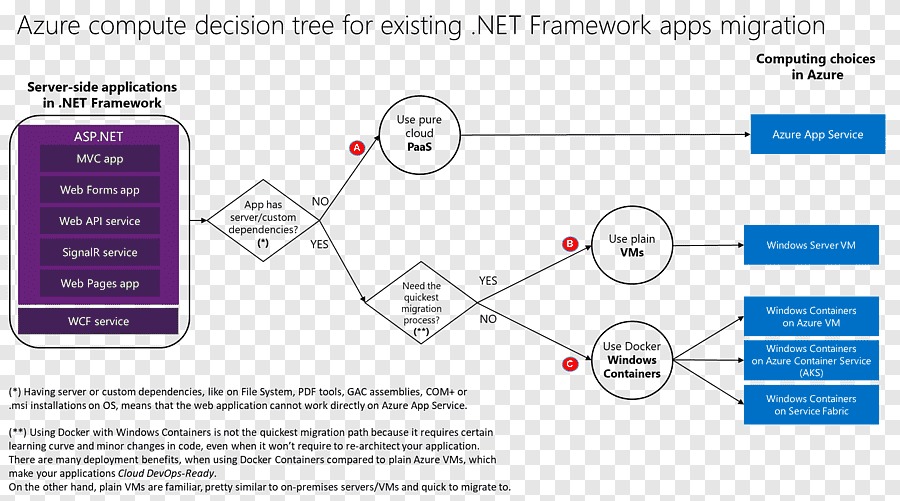
Moving an existing application to cloud infrastructure and redesigning it around cloud services are different projects.
Rehosting, commonly called lift and shift, keeps much of the application’s structure and changes only where it runs. Modernization changes selected components, deployment processes, or service responsibilities to fit a new design.
Rehosting works as an interim step when compatibility, migration speed, or staffing rules out a redesign. Modernization brings new capabilities along with development, testing, and operating work you have to include in the decision.
Where migration costs add up
Always-on virtual machines, database dependencies, licensing, standby recovery resources, network transfer, and engineering labor all affect the operating cost of a migrated workload.
An engineer at a European technology company questioned migration expenditure after describing a multiyear move involving Kubernetes, virtual machines, and storage buckets:
I work for a Tech Company in the EU who’s moved MOST of it’s services from on-prem (using the usual DCs by Telstra etc) to the cloud. We started this “journey” 4+ years ago and are now in the final stages with all DCs hopefully being turned off at the end of this year. I think it’s fair to say ~75% of our services are now in the cloud and actively being used there – so we have around 25% more to throw in. The vast majority of all our workloads in cloud are K8s, with some larger VMs + Buckets making up the minority. … Our staffing levels have also INCREASED, and yet we’re spending more on the cloud in one year, than what we’ve spent on-prem in 5.. I can’t help but think what kind of system we could have built on-prem with a budget of 5-6m per year JUST for hardware. Is anyone else puzzled by this kind of spending, or am I missing something?
That contributor described a migration about 75% complete, increased staffing, and unexpectedly high expenditure. The figures are one organization’s reported experience. The concern applies to any architecture budget: it has to cover ongoing operation as well as rented infrastructure.
Compare three cost states
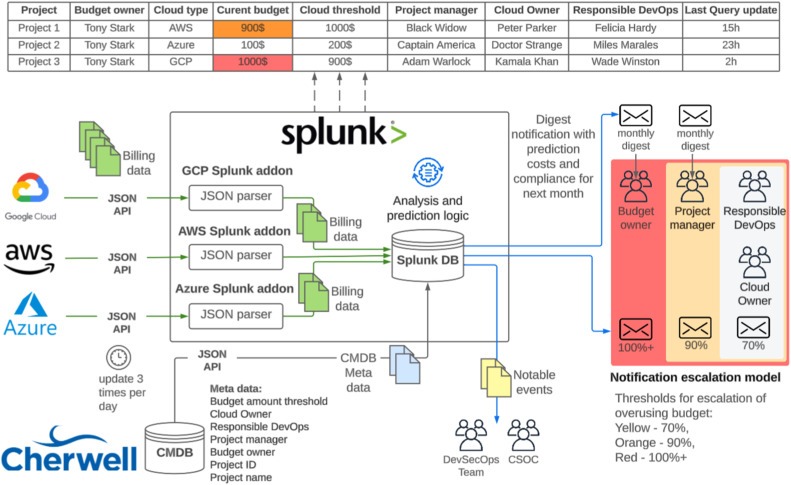
- Existing baseline: Current compute, storage, database, networking, licensing, support, maintenance, backups, and operational labor.
- Proposed steady state: Expected cloud resources, data transfer, monitoring, security operations, backup and recovery capacity, support, and staffing.
- Transition and exit: Migration engineering, testing, parallel operation, training, contractual commitments, rollback, and potential future movement of workloads or data.
Use the same workload and service assumptions for both environments. Promotional credits and introductory free tiers affect project economics. List them separately from recurring cost, with their qualifying conditions, duration, and the cost of switching providers.
The architectural question is whether the proposed system has defensible lifecycle economics for the service it must deliver. To price compute hours, storage usage, and network egress, work through the cloud cost estimation worksheet.
Review the Design, Verify Assumptions and Choose the Next Guide
An architecture is ready to move toward implementation when its important assumptions have evidence and owners. The table below separates a supported fit from a demonstrated mismatch and an important unanswered question.
Apply a go, revise, or investigate decision
| Review area | Go evidence | Revise trigger | Investigate trigger |
|---|---|---|---|
| Requirement fit | Design meets recorded nonnegotiables | Required behavior or capability cannot be met | Critical requirement remains undefined |
| Dependencies | Essential data and network paths are mapped and feasible | Required connection conflicts with the design | Unknown data flow or external dependency |
| Operational ownership | Customer-owned tasks have accountable operators | Necessary duty has no feasible owner | Service responsibility is unclear |
| Recovery | Representative test meets RTO and RPO | Tested recovery fails an established objective | Recovery procedure or evidence is missing |
| Security | Permissions and access paths pass the workload review | Required access control cannot be implemented safely | Unexamined privileged path or policy requirement |
| Lifecycle and migration | Comparable cost assumptions and rollback path are documented | A known hard budget or exit condition is violated | Material cost or transition assumptions are unmeasured |
Choose “Go” only when every mandatory review area has supporting evidence; a known conflict means “Revise”, and an unresolved input that matters means “Investigate”.
If a Terraform plan wants to create or destroy resources you didn’t expect, read the plan and check its state references before you apply it. The plan is only safe to interpret when your intended configuration and resource tracking agree.
Choose the next focused design task
Your remaining uncertainty points to the next guide. If the service vocabulary is unclear, start with cloud computing fundamentals; the checks for IaaS, PaaS, and SaaS are explained in the cloud computing service and deployment model overview. A detailed IaaS/PaaS/SaaS comparison covers responsibility boundaries, and once your workload requirements are ready for a provider decision, a focused AWS, Azure, and Google Cloud comparison is the next step. Other separate tasks include building a detailed architecture diagram, investigating VPC routing, weighing serverless against virtual machines, examining cloud management tools, or calculating a workload-specific cost estimate. For cloud inventory, IAM policies, and audit controls, compare candidates with the cloud management platform evaluation matrix.