
Pick the cloud that meets your requirements for region, services, security, licensing, and operations, then prove the fit on your own workload. A Microsoft-heavy estate puts Azure first on the shortlist. A failed requirement or a better verified cost-and-operations result can still overturn that. Compare the finalists on equal inputs and run a pilot before you commit.
Define the Workload Before Comparing Clouds
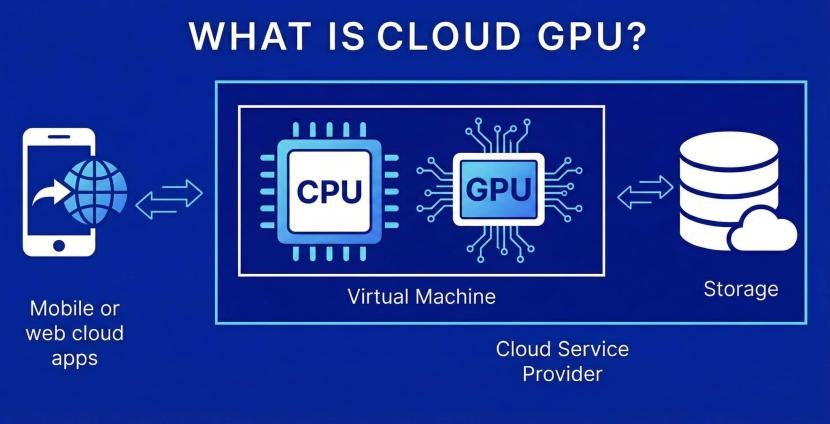
An established AWS shop, a Microsoft-heavy business, and a new software product start from different places. Before you compare providers, write a one-page list of the workload’s requirements: application runtime, users and their locations, traffic patterns, database growth, network paths, identity needs, recovery objectives, and who runs operations. Mark the requirements that would knock a provider out, such as a missing service, an unacceptable data location, or an operating model your team cannot support. Skills, vendor relationships, developer preferences, and discounts then separate the providers that remain.
Where AWS, Azure, and Google Cloud May Fit Different Workloads
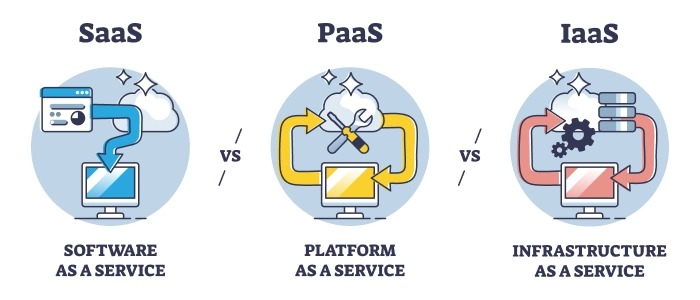
AWS, Azure, and Google Cloud all offer production compute, databases, networking, and managed services. Your shortlist comes from the application requirements, contracts, existing systems, and the people who will operate the result.
Take a business that already runs on Microsoft identities and Windows infrastructure. Look at Azure early: the team probably has integration expertise and may hold qualifying licenses. Its databases, network requirements, and operators can still point to another provider.
A new containerized software company faces a different choice. The team may know Kubernetes and continuous deployment well but have little experience running managed databases, configuring cloud IAM, or answering overnight failures. Deployment preferences shape the shortlist, and so does who owns operations. Before changing cloud inventory, IAM policies, or audit controls, read the cloud management platform evaluation matrix.
| Workload scenario | AWS first check | Azure first check | Google Cloud first check | What could change the shortlist |
|---|---|---|---|---|
| Microsoft-heavy business migration | Database and network architecture; existing AWS skills | Entra integration, Windows/SQL requirements, eligible licenses | Existing GCP expertise, database and network fit | Unavailable service, licensing restrictions, migration burden |
| Containerized SaaS | EKS or an application compute alternative | AKS or Container Apps | GKE or Cloud Run | Runtime compatibility, operations expertise, service availability |
| Analytics and ETL | Redshift, Athena, data location | Microsoft Fabric (SaaS capacity), Azure Synapse Analytics | BigQuery, Dataflow, source connectivity | Data movement, query requirements, staff skills, measured costs |
An analytics team can like BigQuery and still pay heavily to move its source data. A SaaS team can prefer its familiar Kubernetes platform and still need a compatible database and a way to handle incidents.
A retailer with eleven stores
One Reddit contributor described a grocery business weighing a move from local infrastructure to the cloud.
I’m trying to figure out how to choose the right cloud provider (GCP, Azure, or AWS) for migrating our company’s data, and I’d really appreciate some advice from people who’ve gone through something similar. Right now everything is on-premise. We’re a grocery retail company with 11 stores. Each store has its own local server, and we also have a central server that collects and consolidates data from all locations. Our databases include a mix of transactional and reference tables. Some tables update constantly (transactions, item movements, tenders, etc.), while others store product information. Our largest table receives around 2.5M–3M new rows per month, and overall we probably add about 5M new rows monthly across the system.
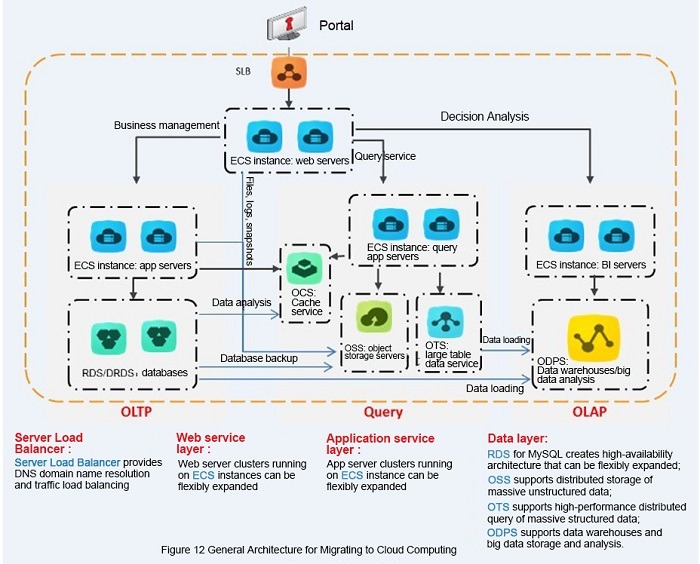
The open questions are store connectivity, transactional consistency, synchronization with central systems, availability during network outages, and who will maintain the replacement. The business also uses Microsoft productivity products, and the poster has more hands-on GCP experience than Azure experience. If application tiers, network boundaries, or failure domains change the decision, check them against the cloud architecture diagram verification checklist.
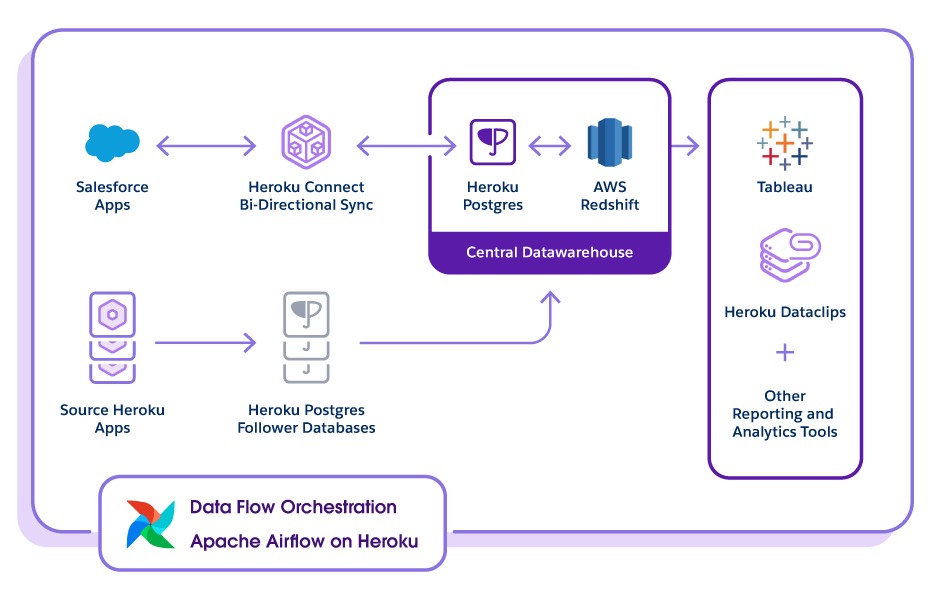
A defensible shortlist for this retailer starts with the database and network requirements that keep stores running while transactions reach the central system. Microsoft tools and the poster’s GCP familiarity both affect implementation effort.
Match Services and Their Operational Requirements
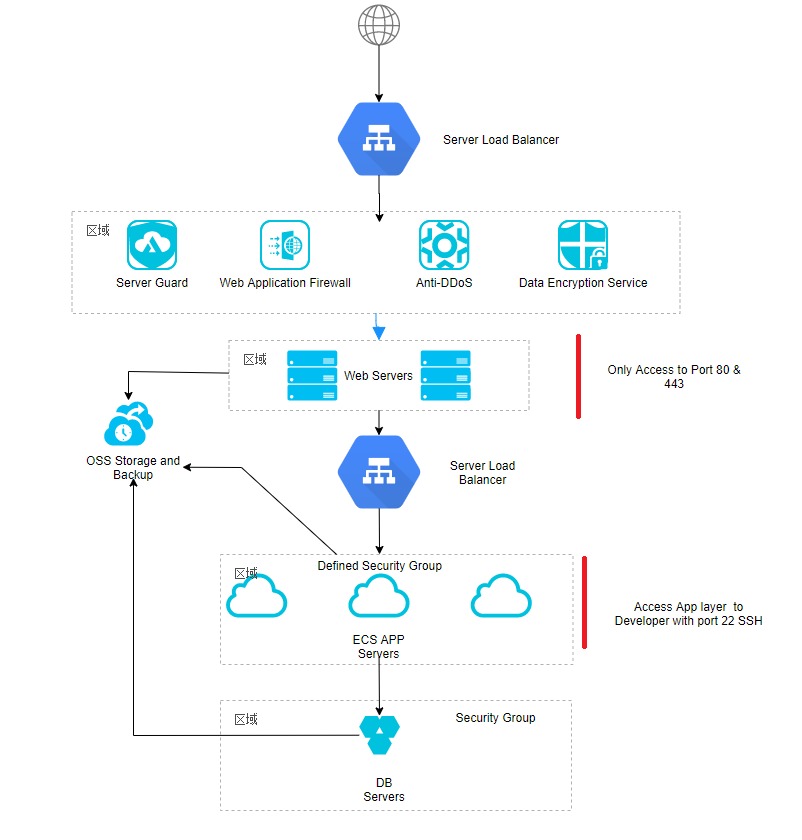
Services in different clouds can share a category name and still differ in interfaces, failure behavior, configuration, and who is responsible for what.
A managed relational database shows the problem. Matching approximate compute capacity accomplishes little if the database engine, replication capabilities, recovery procedure, or licensing assumptions don’t fit.
The mapping below lists candidates to investigate. Check the database and serverless entries for compatibility separately.
| Capability | AWS | Azure | Google Cloud |
|---|---|---|---|
| Virtual machines | Amazon EC2 | Azure Virtual Machines | Compute Engine |
| Object storage | Amazon S3 | Azure Blob Storage | Cloud Storage |
| Managed relational databases | Amazon RDS / Aurora | Azure SQL / Azure Database for PostgreSQL | Cloud SQL / AlloyDB |
| Kubernetes | Amazon EKS | Azure Kubernetes Service (AKS) | Google Kubernetes Engine (GKE) |
| Application and serverless compute | AWS Lambda / Fargate | Azure Functions / Container Apps | Cloud Run services / Cloud Run functions |
| Identity and access | AWS IAM / IAM Identity Center | Microsoft Entra ID / Azure RBAC | Cloud IAM / Cloud Identity |
| Analytics | Redshift / Athena | Microsoft Fabric (SaaS capacity) / Azure Synapse Analytics | BigQuery / Dataflow |
| Networking | VPC / NAT | VNet / NAT Gateway | VPC / Cloud NAT |
Microsoft Fabric is an integrated SaaS analytics platform with its own capacity licensing. Azure Synapse Analytics is a separate analytics service family. Price each one with its own billing model.
Treat the serverless row with care. Functions and managed containers are different execution and deployment choices. Compare a function workload with a function implementation, and a container application with an equivalent container deployment. For identity boundaries, recovery objectives, and network routes, see the cloud architecture workload assessment.
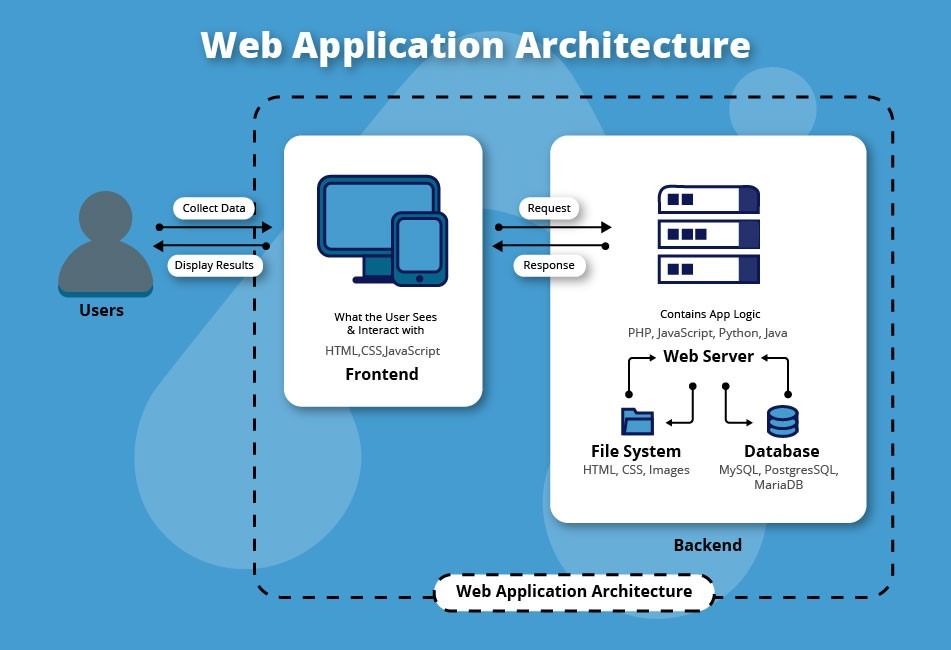
Databases need the same discipline. RDS, Aurora, Azure SQL, Cloud SQL, and AlloyDB cover overlapping needs, but supported engines and deployment configurations decide what you can migrate and how you recover.
What survives a Kubernetes migration?
Container images and Kubernetes manifests simplify deploying across EKS, AKS, and GKE. A production system also depends on cloud identities, secrets, database connections, ingress, storage, monitoring, and network controls. A service can deploy to another cluster while those dependencies still need engineering work, so assess portable packaging and portable operations separately.
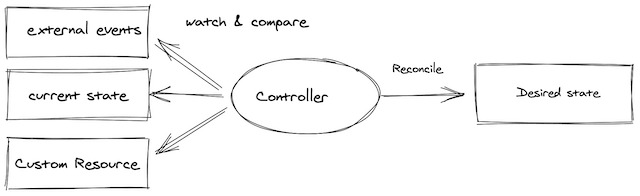
Build an equivalence sheet for each finalist: service and engine version, required APIs, availability design, backup behavior, permissions, logging integrations, and service-specific configuration. Mark real differences explicitly. Forcing a product match makes the later cost and performance comparison less reliable.
Apply Hard Filters: US Regions, Licensing, Identity and Security
A provider can offer the right category of product and still fail your deployment requirements. Run the hard eligibility checks before you weigh discounts, developer preferences, or catalog comparisons.
A provider’s geographic footprint is only the start. Whether you can deploy depends on the US region, the service and SKU, zone configurations, quotas, and your capacity needs. Microsoft’s Azure region and availability-zone documentation separates regional zone availability from support offered by individual services.
Say an application requires its managed database to run with a specified availability-zone design in a designated US region. If the selected database deployment doesn’t support that design there, the architecture fails the requirement.
Licensing can affect the economics
Azure suits organizations with large Windows Server estates. The Azure Hybrid Benefit documentation sets out the qualifying Windows Server licensing and terms.
Microsoft 365, Teams, Outlook, and Entra usage alone do not entitle you to that benefit. Count a licensing advantage in the cost comparison only when you meet the terms.
The nonnegotiable filter
Score each provider pass, fail, or unknown on these checks:
- US deployment location: The service and configuration must support the selected region, availability design, and data locality requirements.
- Identity and access: You need working authentication, role separation, provisioning, and policy enforcement within the provider’s account or project structure.
- Licensing: Existing entitlements must apply to the workload and meet the contract terms.
- Security controls: Encryption, access restrictions, logging, network isolation, and recovery controls must be achievable in the chosen service model.
- Capacity and operations: Quotas, resources, operator availability, and recovery objectives must support the application.

All three providers document shared security responsibilities. You remain responsible for application, identity, data, and configuration decisions, and the split shifts between infrastructure and managed services. A provider’s certification does not make your application compliant.
The completed filter removes unsuitable options. Treat an unknown as an open requirement until you confirm the service, entitlement, configuration, or control.
Model 36-Month Total Cost Across Three Providers
A credible price comparison uses equivalent workloads and counts the spending needed to run them. A low virtual-machine rate loses its edge once managed databases, transfer charges, monitoring, recovery, support, and labor are added.
Use 36 months as the common horizon. It gives one period for recurring expenses, one-time migration costs, expiring credits, and commitment terms. Enter USD totals over that horizon in each provider column, except the final monthly-cost row, which is in USD per month.
| Cost element | Matched workload input or calculation | AWS (USD) | Azure (USD) | Google Cloud (USD) |
|---|---|---|---|---|
| Compute | vCPU, memory, hours, region | |||
| Managed databases | Engine, availability, storage, I/O | |||
| Object/block storage | GB stored, retention, retrieval | |||
| Network transfer | GB and traffic path | |||
| Network services | Load balancers, NAT, fixed or usage charges | |||
| Requests and functions | Requests and runtime consumed | |||
| Monitoring and logging | Ingested GB, retention, monitored resources | |||
| Backup and recovery | Copies, retention, restore activity | |||
| Support and tools | Contract and tools required | |||
| Operations staff | Hours for deployment, maintenance, incidents | |||
| Migration and exit | One-time engineering, parallel running, transfer | |||
| Modeled 36-month cost | 36-month billed charges plus one-time costs; include required commitment payments once | |||
| Additional eligible discounts and credits | Subtract only offsets not already reflected in the billed charges; apply eligibility and expiry | |||
| Net 36-month cost | Modeled cost less additional eligible offsets | |||
| Monthly cost after credits (USD/month) | Ongoing monthly charge after introductory offers expire |
Estimate each provider with the same dataset, request and transfer volumes, availability target, service region, and staff-cost method. Leave unmeasured values blank so unknowns stay distinct from recorded zeros.
AWS provides a Pricing Calculator, Azure documents its own pricing-calculator workflow, and Google Cloud publishes pricing and estimation resources. Your account agreements and negotiated prices change the results.
Why a discount needs its own line
AWS Savings Plans, Azure savings plans and reservations, and Google Cloud committed-use discounts each have different eligibility and commitment rules. Check which resources they cover and what term and usage you commit to before you apply any reduction.
A discount on predictable usage has different economics from one assumed across the whole application. An underused commitment leaves you paying for capacity you don’t consume.
AWS documentation describes $100 in initial credits for qualifying new customers, with up to another $100 available through eligible activities. The Free plan ends after six months or when credits run out, whichever comes first. Eligibility and available services depend on the account plan.
How to read the result
Keep three figures separate: modeled 36-month charges before offsets, net cost after eligible offsets, and the recurring monthly rate once introductory incentives expire.
For each provider, add projected recurring charges over 36 months, one-time migration expenses, and staff costs. Where a commitment replaces usage charges, count the billed commitment and any uncovered usage once. If a calculator estimate already includes committed-use savings, don’t apply that discount again. Subtract only additional credits or discounts missing from the entered charges, within their coverage and expiry. For compute hours, storage usage, and network egress, use the cloud cost estimation worksheet.
Network charges need their own treatment. Moving data between a customer and a cloud service, between regions, and along internal routes follows different pricing rules. Google Cloud’s network-tier and transfer documentation, for example, prices by path and service conditions.
The post-credit monthly figure shows what you owe over the long term.
Migration, Credits, Lock-In, and the Case for Staying Put
Switching providers is a separate business decision: do the benefits justify the cost and disruption of moving?
A working application can carry a reasonable monthly bill and still be expensive to relocate. Database conversion, data validation, network changes, access policies, deployment automation, staff training, and parallel environments all take engineering effort before the first production cutover.
One Reddit contributor faced this choice: Google Cloud offered a credit while the team was already moving infrastructure from DigitalOcean to AWS.
We started moving our infrastructure from Digital Ocean to AWS and we’re still in the progress of doing so. The manager got contacted by GCP and they offered us a $100.000 credit for a year which is decent amount of money for a small sized company like ours. But I don’t like the approach of switching our infrastructure at every chance we get and I wan’t to specialize in AWS ecosystem myself. The only thing that I can find is the small difference of outbound traffic costs but it still does not justify us switching over for 100k.
The offer’s contractual terms are unverified, and its expiry matters because staffing and operating costs continue after a promotional period.
Calculate whether migration pays for itself
A savings-based case needs two numbers: the one-time transition cost and the recurring monthly net savings after promotional credits end. When monthly savings are positive and stable, payback in months equals one-time migration cost divided by monthly net savings. If savings are zero or negative, there is no savings-based payback, and operational or technical benefits must justify the move on their own.
Staying can be a competitive option
The incumbent platform already has deployment procedures, recovery tooling, negotiated contracts, and trained operators. Weigh keeping them against the real transition effort before you assign migration budget.
Compare four options:
- Stay and optimize: Improve the current architecture, cut inefficient spending, or renegotiate terms while keeping operational knowledge.
- Complete the planned migration: Continue when the current destination still fits the workload and abandoning finished work adds cost.
- Switch destination: Reconsider when a competing architecture offers a material, supportable service or economic advantage.
- Introduce a second cloud: Use a separate provider for a defined requirement, with a tested operations and failure-domain design.
Portability depends on the product and deployment. Google, for example, documents Apigee hybrid support for specified EKS and AKS environments, subject to supported configurations.
Running workloads in multiple clouds can add flexibility for a tested design, and it also adds identity administration, networking, incident coordination, and data-transfer work. Include those operating and network costs in any second-cloud estimate.
Support, IAM and People Can Change the Winner
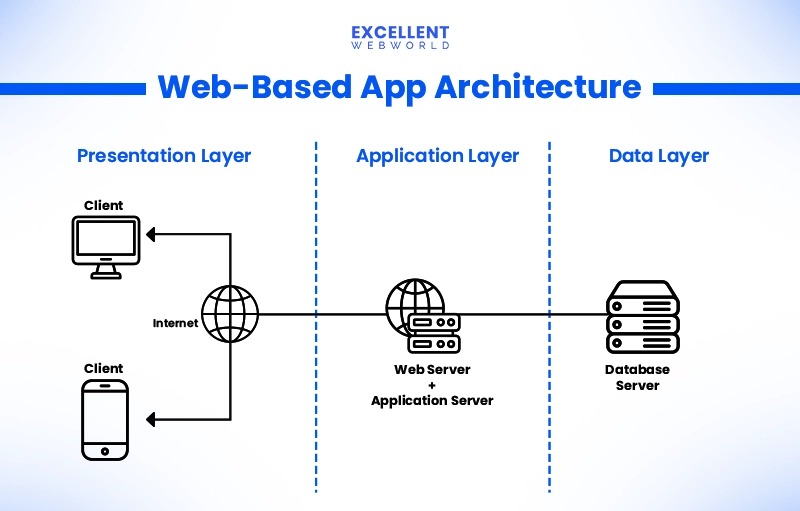
A provider that looks good in an architecture diagram can be hard for your team to operate. Identity configuration, access reviews, deployment procedures, incident escalation, and recovery all depend on people as well as products.
On AWS, IAM policies and accounts anchor access design. Azure combines Microsoft Entra identity, Azure RBAC, and subscription boundaries. Google Cloud uses Cloud IAM with an organization, folder, and project hierarchy. These structures shape deployment automation and how you separate production environments.
A Reddit contributor with experience on both AWS and Google Cloud described the difference:
But despite that, almost every large enterprise, big firms, or etc I work with still defaults to AWS first. I understand part of it is the head start AWS had, but I think there’s more to it than technology. AWS feels extremely enterprise-focused: stable APIs/services strong local presence worldwide huge partner ecosystem local language support easier direct customer engagement mature enterprise processes Meanwhile with GCP, sometimes it feels harder to navigate internally or get connected to the right teams/escalations compared to AWS. I’ve also noticed many executives still hesitate with GCP even when engineers like the platform technically.
That is one engineer’s experience with procurement and escalation. For your own choice, what counts is the support path and staffing your organization has.
What operating ownership looks like
A small software company can have excellent application developers and no overnight infrastructure rotation. Another business may already have Azure administrators, Microsoft identity procedures, and formal purchasing relationships.
For each viable platform, assign owners for:
- Provisioning: Who approves deployments, infrastructure changes, and production access?
- Security: Who maintains permissions, credentials, policy controls, and account boundaries?
- Monitoring: Who receives an alert, diagnoses the issue, and decides whether it is an application or provider incident?
- Support escalation: Who can contact the provider under the contracted support arrangement?
- Recovery: Who performs a restore, tests the runbook, and decides when to resume service?
In an incident rehearsal, name the on-call owner, the escalation contact covered by your support plan, and who can authorize recovery. Record any gaps.
A team that already administers Entra identities faces less training on Azure. A team with an established AWS on-call rotation may prefer to keep it. Document the added operational work for any change.
Validate the Finalists With a Controlled Proof of Concept
A shortlist becomes a defensible decision when the remaining providers are tested under representative, documented conditions.
Run a representative subset of the application with identical inputs wherever possible. Match workload shape, database behavior, network path, and resilience design so the results support a fair comparison.
For a retail application, replay a sample of transactions and store-to-central synchronization. For a containerized SaaS application, deploy a representative workload on the Kubernetes or managed container configuration under review. For an analytics pipeline, run the same query workload against an equivalent dataset.
A comparable pilot result card
| Dimension | Acceptance condition defined before testing | Result to record for each finalist |
|---|---|---|
| Environment | Required US region, specific service/SKU and identity configuration | Deployment settings |
| Workload | Representative dataset, client geography, concurrency, duration | Repeatable input specification |
| Performance | p95 latency at or below reader-defined limit; throughput at or above required rate | Actual p95 and transactions/time |
| Errors | Error rate at or below defined maximum during test | Error count and denominator |
| Backup and recovery | Recovery time and data loss within defined RTO/RPO | Observed restore duration and recovery result |
| Security and identity | Required permissions work; prohibited access denied | Executed access-control tests |
| Capacity | Resource usage fits service quotas and growth assumption | CPU, storage, network and quota observations |
| Operating cost | Observed usage consistent with modeled cost ceiling | Billing or usage evidence |
| Operational effort | Team can provision, diagnose and recover within available staffing | Recorded engineer time and escalation record |
| Decision | All hard requirements pass; unknowns disclosed | Pass / fail / unknown per provider |
Where architecture choices can’t be matched, record the difference next to the measurement.
Test failure and recovery, too
Run one recovery scenario and one denied-access check on each deployment, and compare the results with the acceptance criteria you set before testing.
A short pilot covers only its tested load and period. Production scaling and long-term availability fall outside it.
Turn the results into a decision
The decision record states which hard requirements passed, what the pilot measured, and which blockers remain. Record inconclusive outcomes alongside the measurements.
If every finalist fails a mandatory requirement, rework the architecture or keep the existing deployment until a viable design is proven.