
Use an AWS VPC to control an application’s IP ranges, network paths, and access rules. Expose only the services that need public access, pick private outbound routes by destination, and verify every traffic path you plan to use. The default VPC works for learning. A deployed workload needs deliberate routing and security choices, and you should list its billable components before launch.
What is Amazon VPC, and what does it isolate?
Amazon Virtual Private Cloud (VPC) is a logically isolated virtual network within AWS. You define its address ranges, subnets, routing, and network access controls for resources such as Amazon EC2. A VPC belongs to one AWS Region and can span multiple Availability Zones in that Region, but each subnet sits in a single Availability Zone. AWS provides default VPCs with ready-made networking resources, while a custom VPC lets you set up the layout your workload needs.
Before you debug connectivity, check which Region and VPC the workload runs in and whether it uses the default or a custom VPC. A VPC gives you a network boundary. You still write the security rules.
How do CIDR blocks, subnets, and Availability Zones fit together?
A VPC’s CIDR block defines an IP address range. Subnets take nonoverlapping ranges from that space, and each subnet belongs to one Availability Zone. “Private” and “public” describe how a subnet is routed. Both kinds use ordinary CIDR ranges, and the network configuration decides who gets access.
CIDR notation combines a network address with a prefix length. A shorter IPv4 prefix means a larger address block. In a standard IPv4 subnet, AWS reserves five addresses, with an exception for bring-your-own-IP (BYOIP) ranges. Those five cut into the assignable addresses, which matters when capacity is tight.
Picture one VPC with a subnet in each of two Availability Zones, each with its own range. Later, a separate account needs to connect its network to those applications. Your earlier address choices decide whether a direct peering connection is possible.
Here’s the problem: the VPCs in the testing account have overlapping CIDR ranges. This is now becoming a blocker for us. We want to introduce a new VPC in each account where we will run Azure DevOps pipeline agents. In the non-prod account, this looks simple enough: we can create VPC peering between the agents’ VPC and the non-prod VPC. But in the testing account, because both VPCs share the same CIDR range, we can’t use VPC peering. And we have following constraints: We cannot change the existing VPCs (CIDRs cannot be modified). Whatever solution we pick has to be deployable across all accounts (we use CloudFormation templates for VPC setups). We need reliable network connectivity between the agents’ VPC and the app VPCs.
AWS prohibits direct VPC peering between VPCs with overlapping CIDR blocks, which is the poster’s obstacle. Other designs, such as address translation, come with their own constraints.
Before you assign ranges, compare your planned VPC and subnet CIDRs with the networks you may need to connect later, including other environments and accounts.
How do route tables, Internet Gateways, and NAT set the traffic path?
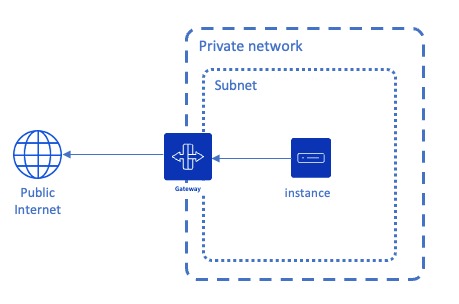
A subnet’s associated route table decides which target receives traffic for a matching destination. Each entry pairs a destination range with a target. A subnet uses its explicitly associated table or, if it has none, the VPC’s main route table.
For IPv4, 0.0.0.0/0 matches any destination without a more specific route. A local route handles addresses inside the VPC. A route to an attached Internet Gateway gives you public internet paths, and a NAT gateway carries general outbound IPv4 connections for private workloads. An isolated subnet can omit general internet egress.
Here is an example route table for a private subnet with several destinations. The peer CIDR is made up, not an AWS-assigned range.
| Destination matched | Route target | Result |
|---|---|---|
| VPC CIDR | Local | Communication within the VPC address space |
| Amazon S3 service prefix list | S3 gateway endpoint | Supported same-Region S3 traffic follows the endpoint route |
Peered network, e.g. 10.20.0.0/16 | VPC peering connection | Matching peer traffic follows the peering path |
0.0.0.0/0 | NAT Gateway | Other outbound IPv4 traffic uses NAT |
The S3 and peer routes win over the default route when the destination matches them. A public subnet instead sends IPv4 internet traffic to an Internet Gateway, and public addressing and traffic controls are separate settings.
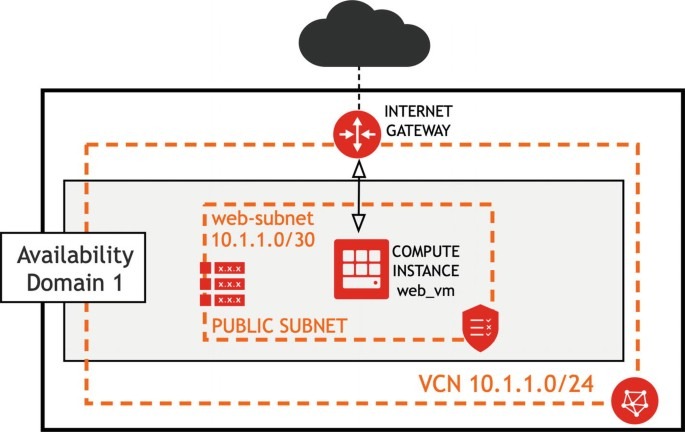
A subnet follows the main route table until an explicit association points it at a custom table. If a private EC2 instance has no outbound access, check which table its subnet uses, then the route’s destination and target. The AWS subnet route-table documentation describes how associations work.
NAT also involves an availability choice. A zonal NAT gateway runs in one Availability Zone. A regional NAT gateway expands across Availability Zones based on where your workloads run, and it doesn’t need a customer-managed public subnet to host it. The choice affects both how you design private egress and how it is billed.
Why can an EC2 instance in a ‘public’ subnet still be unreachable?
A public subnet has a route to an Internet Gateway. To accept connections from the internet, an EC2 instance also needs a public IPv4 address, rules that allow the traffic, and a service listening on the port.
Say you launch an EC2 instance with a public IPv4 address and allow SSH in its security group, yet SSH times out. The cause could be the subnet’s effective route, the access rules, or the service itself. The label “public subnet” describes routing only.
For a service that accepts public inbound connections, check the instance’s public address and the rule for its port and source. TCP port 22 is the standard SSH example. Opening it to everyone is unnecessary for applications that use private access or other administration methods.
A private instance can start outbound IPv4 connections through NAT. Unsolicited inbound connections still can’t reach it.
Security groups vs network ACLs: how do the filters differ?
Security groups and network access control lists (NACLs) filter VPC traffic at different scopes. Security groups apply to resources through their network interfaces and are stateful. NACLs work at the subnet boundary and are stateless, so their inbound and outbound rules must both allow response traffic.
| Property | Security group | Network ACL |
|---|---|---|
| Where applied | Resources through network interfaces | Subnet boundary |
| Connection behavior | Stateful | Stateless |
| Response traffic | Handled through established connection state | Needs rules in the return direction |
| Primary function | Permit traffic to or from a resource | Control traffic crossing a subnet boundary |
| Routing effect | Does not create routes | Does not create routes |
For an EC2 application connecting to RDS, the database security group needs a rule that allows the application’s traffic from its source. The NACLs on the subnets involved must also allow that flow and its replies. Routing sets the next hop. Security controls decide what is permitted.
Check each rule against the actual flow: protocol, destination port, allowed source, and return traffic. A wide-open rule gives up useful restrictions and fixes neither a missing route nor a stopped listener.
Trace a web request through a two-tier VPC
Take an Amazon EC2 web application in a public subnet and an Amazon RDS database instance in a private subnet of the same VPC. Internet users reach the web application, and the application queries the private database. For a standard regional RDS deployment, the DB subnet group includes subnets in at least two Availability Zones, even if the DB instance is Single-AZ. The packet path below follows the subnet the database instance actually sits in.
From the browser to EC2
The browser connects to the application’s public endpoint. That leg depends on public addressing, the Internet Gateway path, traffic permissions, and a web service accepting the request.
From EC2 to the database
The application connects to the private RDS endpoint over the VPC’s internal route. The database port and its security rules must allow the application. The database needs no public IPv4 reachability to serve the public-facing application, because it uses its private address. Reply traffic follows the return path.
From a private workload to an outside destination
If a private component calls a third-party API on the IPv4 internet, it needs an outbound path, typically through NAT. A request to supported S3 or DynamoDB services can follow a gateway-endpoint route instead, once you configure that endpoint. Different destinations get different routing decisions.
- Public request: Internet client to Internet Gateway to public EC2 service.
- Application data: EC2 application to the private RDS endpoint inside the VPC.
- Private outbound dependency: Private workload to NAT or a supported service endpoint.
NAT Gateway vs S3/DynamoDB gateway endpoints: what should carry private outbound traffic?
The destination decides which private outbound path fits. NAT carries general outbound IPv4 internet connections. Gateway VPC endpoints give you private routing to Amazon S3 and DynamoDB in the endpoint’s Region through associated route tables and service prefix-list routes.
An EC2 instance fetching an object from Amazon S3 in that Region can use an endpoint instead of NAT. The same instance calling a public third-party API needs an internet-facing path. A request to S3 or DynamoDB in another Region takes a different route.
See the AWS gateway endpoint documentation for details on gateway endpoints. Other AWS services and interface endpoints follow different connection and pricing arrangements. An endpoint policy, service permissions, or other resource controls can still affect traffic that uses a gateway endpoint.
- General public IPv4 destination: Use a NAT egress design if the workload needs that connection.
- Amazon S3 or DynamoDB: Use a gateway endpoint and associate it with the right route tables.
- Another supported AWS service: Choose the matching endpoint type.
- No external access requirement: Leave general internet egress out and allow only the internal paths you need.
What drives the cost of AWS VPC networking?
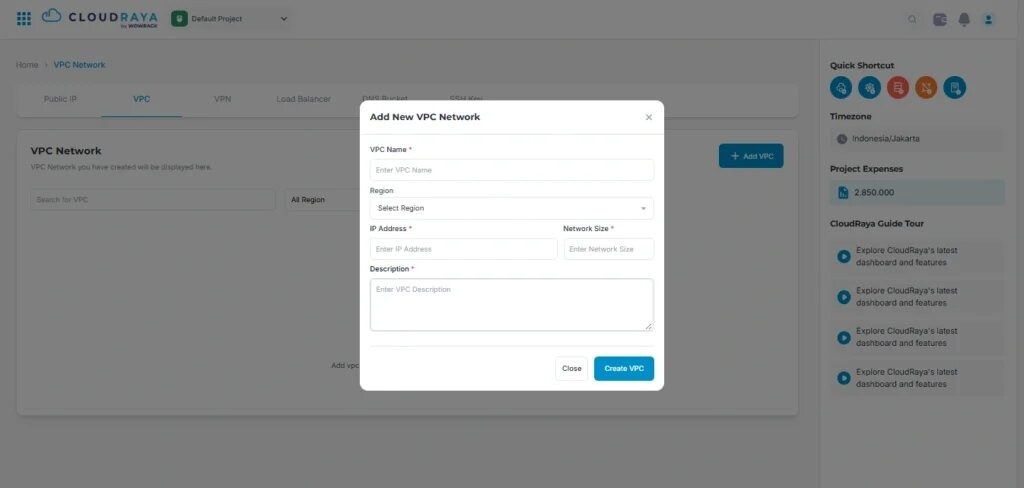
Creating and using a VPC carries no additional fee. Charges come from what you add to it: infrastructure, addresses, endpoints, gateway usage, and traffic. Before you change identity boundaries, recovery objectives, or network routes, read the cloud architecture workload assessment for the implications.
| Resource or charge | Billing consideration | What to compare |
|---|---|---|
| VPC construct | No additional fee for the VPC itself | Charges for associated services |
| Internet Gateway | Connectivity component | Related data-transfer and public IPv4 charges |
| NAT Gateway | Provisioned time and processed bytes; regional NAT bills hourly per active AZ | Gateway mode, active AZs, traffic volume, Region and applicable transfer |
| S3/DynamoDB gateway endpoint | No additional gateway-endpoint fee | Underlying service and any transfer costs |
| Interface VPC endpoint | Separate endpoint pricing | Provisioned resources, usage and service |
| Public IPv4 addresses | Chargeable | Addresses associated with the workload |
| Data transfer | Charges depend on the path | Transfer type, direction, destination and architecture |
A regional NAT gateway bills hourly in every Availability Zone where it operates, and processed-data and transfer charges come on top. This adds up when a private workload spans multiple AZs. No single dollar price applies across every Region and configuration. For NAT gateways, VPC endpoints, and egress traffic, use the NAT Gateway traffic and charge diagnosis to compare your requirements.
We’re on AWS Activate credits and just realized NAT Gateway (hourly plus data processing charges) is eating up about 80% of our total AWS spend. Didn’t expect it to be anywhere near that high until we actually looked at Cost Explorer. We know some of the usual fixes exist, like VPC endpoints for S3/DynamoDB, consolidating NAT Gateways in non-HA environments, maybe switching to NAT instances for low-traffic dev setups, but haven’t touched any of it yet and want to understand what actually works before we start ripping things apart.
Consolidating gateways changes resilience, and self-managed NAT instances add operational work, so neither is a default fix.
Check your Region’s billing categories for NAT provisioned time, processed data, public IPv4 addresses, endpoints and transfer. The Amazon VPC pricing page lists the terms for each service.
Why can EC2 reach another EC2 instance but not RDS?
A database connection has its own destination, port, subnet route and security rules. EC2-to-EC2 connectivity only proves that those two endpoints work. You have to check the path to the RDS endpoint separately.
A Reddit user ran into exactly this with two peered VPCs.
Hi everyone, I’m having some trouble setting up VPC Peering. I have two VPCs, VPC A and VPC B. VPC A contains an application (RDS + EC2) VPC B contains only EC2 instances I need VPC B to access the RDS in VPC A. I created route tables for: the subnets where the RDS is located the subnets where the EC2 instances are located Both route tables reference the VPC peering connection, and so far everything looks correct. I can successfully connect (ping / SSH) from EC2 in VPC A to EC2 in VPC B and vice versa, but I cannot establish a connection to the RDS. I’ve already allowed inbound access on the RDS security group for the VPC CIDR range (10.0.0.0/16), but the connection to RDS still fails. The only thing that works is EC2-to-EC2 connectivity. Any ideas on what I might be missing?
The poster has routes through the peering connection and a database security-group rule for 10.0.0.0/16. That range has to include the real private IP addresses of the EC2 clients in VPC B. Routing, NACL rules and database-service requirements are the other things to check.
Name the real RDS endpoint, the source, and the database port, then test that exact combination, including the destination subnet’s effective routing and the resource permissions.
How do you troubleshoot failed VPC paths or unexplained NAT traffic?
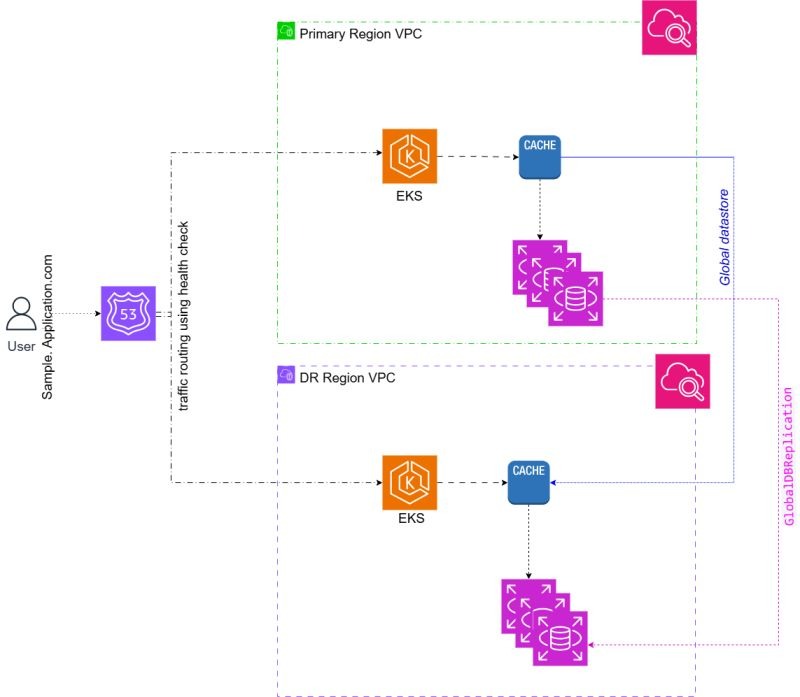
Start with a defined source, destination, protocol and port. AWS Reachability Analyzer models your supported network configuration to assess the path you specify, and it sends no test packets. VPC Flow Logs record traffic metadata for supported resources and periods, with documented exclusions.
| Evidence | Question answered | Important boundary |
|---|---|---|
| Reachability Analyzer | Should the specified path be reachable in the modeled configuration? | Does not confirm a live application’s success |
| VPC Flow Logs | What selected IP flow metadata was recorded? | Exclusions apply; prior periods without logging are absent |
| CloudWatch metrics | How did available network activity metrics change? | Metrics have their own scope and granularity |
| Cost Explorer / billing | Which resource or usage category incurred a charge? | Charge categories alone do not identify a specific process |
A billing spike that predates Flow Log activation leaves a gap in flow-level evidence, even when you know the billing category.
AWS documents an example that models an Internet Gateway to EC2 instance path on TCP destination port 22, without sending a live SSH connection.
Missing Flow Logs make a NAT traffic investigation harder.
Hey everyone, Our NAT Gateway costs just spiked in the last few days and I need help finding out why. We have resources in private subnets sending traffic through the NAT Gateway, but we don’t have VPC Flow Logs enabled, so I can’t see where the traffic is going. What I know: NAT Gateway bytes are way higher than normal Started a few days ago We have EC2 instances (spot instances) in private subnets No recent deployments or changes Questions: How can I figure out which instance is causing this without VPC Flow Logs? What CloudWatch metrics or tools should I check? Any quick way to identify the problem? I’m enabling VPC Flow Logs now, but need to solve this today. Thanks for any tips!
Turning on Flow Logs now records new traffic only. It cannot recreate the missing past records.
For a failed connection, model the exact source-to-destination path with AWS Reachability Analyzer, then check Flow Logs and metrics. For unexplained NAT charges, line up your observations with the billing period and find where the evidence starts and stops.
If your application tiers, network boundaries, or failure domains change the decision, use the cloud architecture diagram verification checklist to check the constraints.