
Choose colocation for predictable, sustained workloads if you can own the hardware and run the physical side reliably. Choose public cloud when elasticity or managed services are worth the recurring charges. Either option drops out if it fails a required control, a recovery objective, your staffing, or the cost numbers. Hybrid pays off only when a specific workload split saves more than the extra connectivity and operating work it adds.
What changes when you choose colocation instead of public cloud?
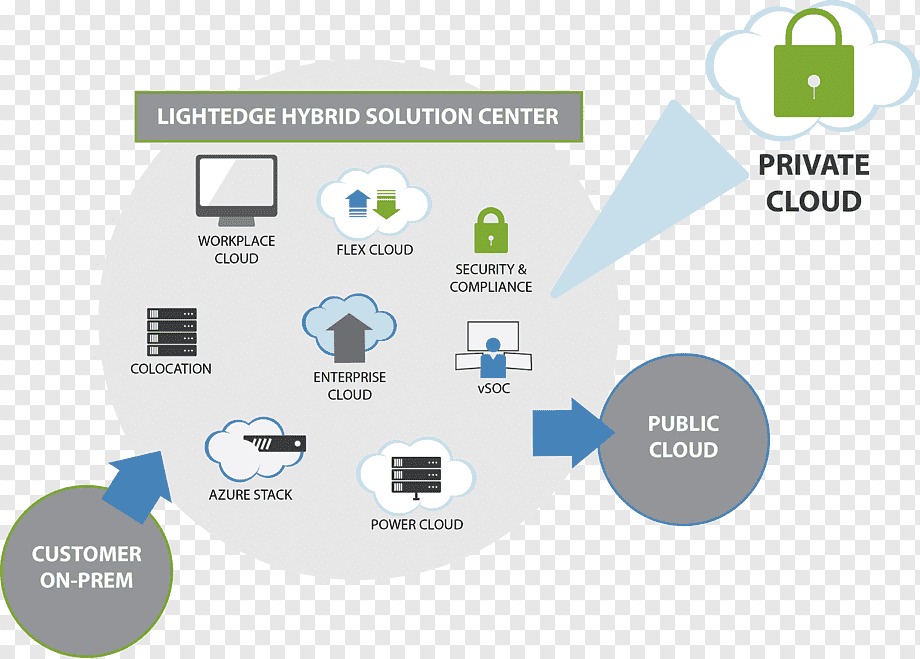
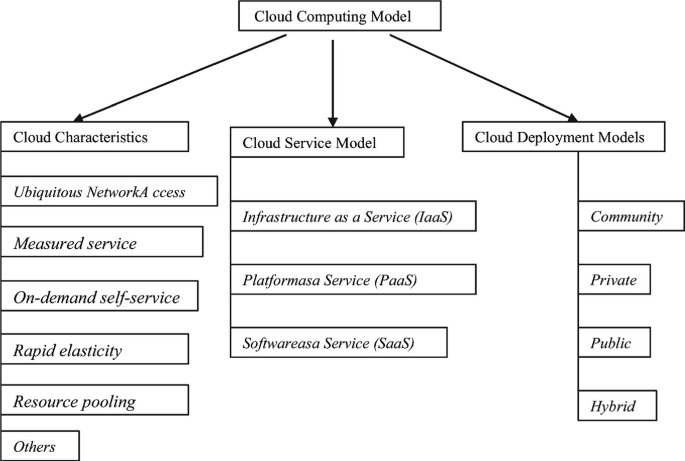
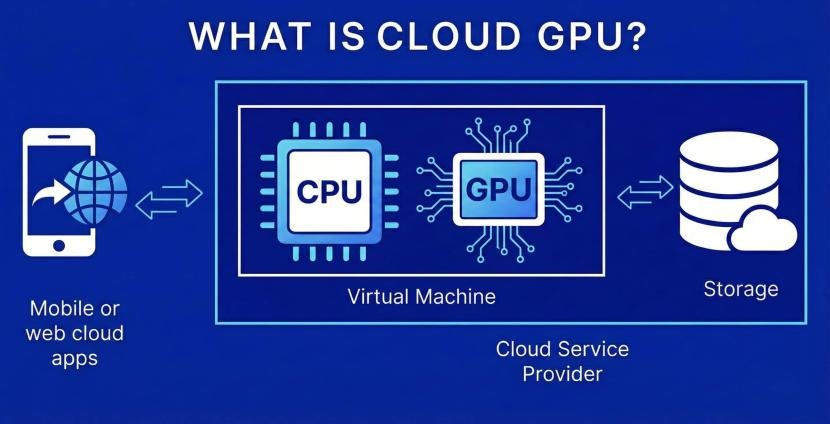
With colocation, you put your own servers in a third-party data center. The facility supplies contracted space, power, cooling, physical security, and connectivity access. You maintain the equipment and eventually replace it, even when the facility helps physically. With public cloud, a provider such as AWS owns the underlying hardware. You configure your workloads, and on IaaS instances such as EC2 you also manage the guest operating system, applications, and data. Managed cloud services can shift more platform work to the provider under each service’s terms. Moving an owned GPU server from an office to colocation changes its location. Replacing it with rented cloud compute changes who owns it.
Which workloads fit colocation, cloud, or neither?
Steady, high-utilization workloads lean toward colocation. Spiky or short-lived ones lean toward cloud. Either model drops out if it cannot meet a mandatory requirement. A database that needs full capacity every hour is a different purchase from a campaign-processing service that runs hard for a few days and then sits idle.
Colocation is attractive when your team already owns specialized equipment, needs a lot of sustained capacity, or must control particular hardware physically. The price of that control is procurement lead times, spare-part planning, power limits, and the need to maintain the equipment for its whole service life.
Public cloud fits short-lived environments, unpredictable demand, and apps that get real value from managed services. Elasticity cuts cost only if the application can reduce billable resources in quiet periods. A continuously running database with fixed capacity needs has little room to do that.
Run the workload through five filters before you price anything:
- Steady utilization: Record baseline and peak CPU and memory demand, usable storage capacity, read/write IOPS, and the headroom peaks require. Owned hardware looks better the more of its capacity stays busy over its whole life.
- Variable demand: Separate workloads that can scale down or stop from those whose storage, licensing, or stateful dependencies keep running between bursts.
- Hardware requirements: Check whether the application truly needs customer-owned GPUs, FPGAs, unusual interfaces, or other specialized parts. Public-cloud accelerator and dedicated-hardware offerings can cover some of these needs.
- Location and connectivity: Define maximum acceptable latency, geographic restrictions, inbound and outbound traffic volumes, peak bandwidth, and any required network relationships.
- Operational capability: Confirm that qualified staff or a contracted operator can support an owned hardware fleet, including failures outside office hours.
Take a company with a continuously busy processing cluster and a team experienced in hardware maintenance. Colocation is worth examining if the facility can house the equipment and the lifecycle economics are favorable. A separate app serving unpredictable promotional traffic fits cloud better, as long as its design lets capacity shrink after each spike.
Mandatory security, data-location, and custody requirements disqualify any deployment that cannot demonstrate the required controls. That takes evidence about the actual service and configuration. The hosting model alone does not establish regulatory compliance.
Who handles hardware failures, security, and day-two operations?
In colocation, you handle nearly everything above the building. In public-cloud IaaS, the provider handles the hardware and you handle everything that runs on it. A failure shows the difference fastest. If a power supply dies in your colocated server, you own the replacement. You decide, you file the warranty claim, you keep the spares, and you coordinate the repair. The facility can help physically if your contract includes it. In public-cloud IaaS, the provider maintains its physical servers, but you still have to restore the affected application’s intended behavior.
The AWS Shared Responsibility Model describes this split between infrastructure operated by AWS and the configurations, data, and workloads managed by customers.
The matrix below assumes a conventional customer-managed colocation arrangement and ordinary public-cloud IaaS.
| Operational duty | Colocation facility | Colo customer/operator | Public-cloud provider | Cloud customer |
|---|---|---|---|---|
| Building and physical access systems | Operates facility controls | Follows access procedures | Operates physical facilities | No physical facility access role |
| Utility power and cooling | Supplies contracted service | Selects capacity and budgets usage | Operates infrastructure power/cooling | Selects services and availability design |
| Physical server failures | Physical help if contracted | Owns spares, warranty, repair | Replaces underlying hardware | Handles workload recovery |
| Rack and physical cabling | Supplies contracted space | Installs or commissions equipment | Operates physical equipment | No routine physical rack duties |
| Physical interconnection | Provisions ordered services | Arranges carriers and connections | Operates service network | Configures purchased connectivity |
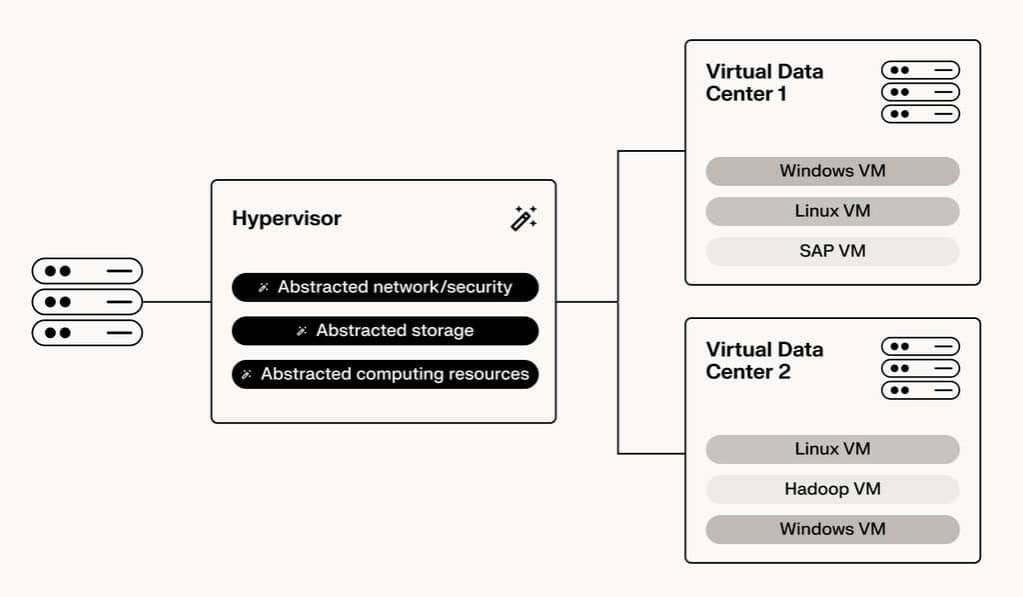
| Virtualization platform | Usually outside base service | Operates owned platform | Operates underlying cloud platform | Configures virtual resources |
| Guest OS updates | Outside standard facility service | Maintains operating systems | Infrastructure layer | Maintains IaaS guest OS |
| Application deployment | Outside standard facility service | Deploys and operates software | Operates the underlying infrastructure; supplies managed platform features when purchased | Deploys and operates applications in IaaS; configures application use of managed services |
| Data and application security | Physical facility controls | Implements data, identity, and software controls | Secures underlying infrastructure | Configures IAM, data, and application security |
| Monitoring and incident response | Facility alerts/support as contracted | Hardware and application operations | Infrastructure monitoring | Workload monitoring and escalation |
| Backup and recovery | Optional contracted assistance | Designs and tests recovery | Supplies relevant cloud services | Configures and tests recovery |
| Hardware retirement and exit | Physical access/help as contracted | Removes, sanitizes, and disposes of assets | Retires provider hardware | Handles service exit and data disposition |
A managed-colocation agreement or managed-cloud product can shift duties beyond this baseline, but only the written service terms count. After a facility technician swaps a disk, database consistency checks, backup policy, and application patching stay with you unless a managed-services agreement says otherwise.
For each of the 12 duties, name one accountable party, an operational contact, the service scope, and an escalation route. When two parties share a duty, spell out who detects the problem, who authorizes the fix, and who confirms the service has recovered. A vague promise of support lets an incident stall between teams.
How to compare total cost over the same period
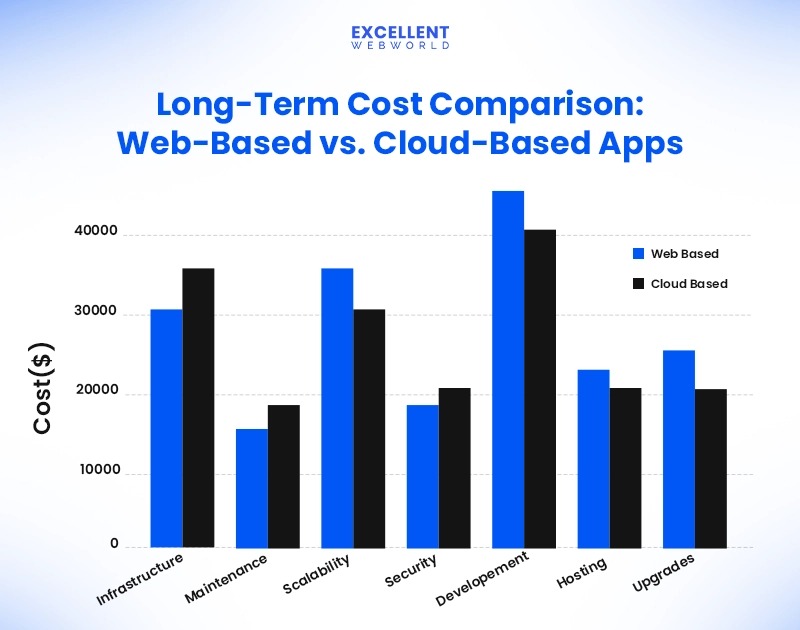
A colocation quote for rack space and a cloud estimate for virtual machines price different bundles of responsibilities. A useful total cost of ownership comparison starts with equivalent workload capacity, network requirements, and recovery objectives, then adds every expense needed to deliver those outcomes. For compute hours, storage usage, and network egress, use the cloud cost estimation worksheet to compare the requirements.
Pick a common three-to-five-year evaluation period. Use the same workload specification, capacity headroom, service geography, and accounting assumptions for both architectures. The horizon is a planning choice.
| Cost dimension | Colocation input | Public-cloud input |
|---|---|---|
| Compute | Servers, spare components, warranties, refresh | Instance or managed compute capacity, runtime |
| Storage | Drives, arrays, maintenance, replacement | Storage capacity, service tiers, requests |
| Facility | Cabinets/cages, power, feeds, overages | Facility costs embedded in service charges |
| Network | Carrier transit, cross-connects, physical ports | Data transfer, private connectivity, networking services |
| Personnel | Hardware support, engineering, on-call, dispatch | Cloud engineering, security, monitoring, on-call |
| Software | OS, virtualization, application licenses | Software, application and managed-service licenses |
| Resilience | Additional equipment/sites, backup, recovery tests | Replication, backup, redundant services, recovery tests |
| Migration and exit | Installation, transport, removal, termination | Migration, data export, transition, service termination |
Colocation TCO = hardware and refresh + space, power and facility services + network, licenses and labor + backup, recovery, migration and exit - defensible residual asset value
Cloud TCO = compute, storage and transfer + managed services and connectivity + licenses, engineering and support + backup, recovery, migration and exit - verified applicable discounts
Keep upfront capital expenditure, recurring fees, labor, resilience, and one-time transition costs on separate lines. If several workloads share an expense, allocate it consistently so the same engineer or network service is not charged twice.
In the Uptime Institute’s December 2025 cost-comparison survey, 47% of the 154 respondents answering the direct colocation-versus-cloud question regarded colocation as cheaper, 29% favored public cloud, and 22% considered the costs roughly equivalent. The overall survey included 850 respondents, and the direct question allowed more than one answer. These are reported opinions from an international survey, not a controlled comparison of matched US infrastructure bills.
One employee at a European tech company likes what the cloud offers but questions the bill and the growing headcount:
I work for a Tech Company in the EU who’s moved MOST of it’s services from on-prem (using the usual DCs by Telstra etc) to the cloud. … I’ve been told from our directors that this will enable faster/safer development, and that things like our cloud provider’s data-warehouse is also a key feature. I’m not on the development side, so I can’t fully speak to the benefits of these solutions…But there is this nagging in the back of my head that is questioning why we’re spending so much on this. Our staffing levels have also INCREASED, and yet we’re spending more on the cloud in one year, than what we’ve spent on-prem in 5.. I can’t help but think what kind of system we could have built on-prem with a budget of 5-6m per year JUST for hardware. Is anyone else puzzled by this kind of spending, or am I missing something?
Those figures are the employee’s own. When you run your comparison, count what the recurring charges buy: managed capabilities and development flexibility.
Build the worksheet with a dated source, a billing interval, and an owner for each input. If you have credible quotes, add low, base, and high cases. List persistent charges, discount eligibility, and missing prices as their own entries.
What if the servers have already been paid for?For a placement decision going forward, separate the historical purchase from future cash expenses. The equipment still has remaining useful life, support requirements, power consumption, replacement exposure, and possibly a resale value you can defend. Treat sunk spending the same way in every alternative.
Where utilization, scaling, and networking change the cost winner
The cost winner can flip when utilization or network traffic changes. Colocation needs enough physical capacity for peak demand, including planned headroom. Public cloud allows different consumption patterns, but capacity that stays provisioned and billed all month keeps a substantial recurring cost.
A continuously running database and a batch worker that can scale to zero have different cost profiles. A cloud design sized for occasional peaks can cut compute between jobs. An owned cluster sized for the same peaks keeps consuming resources and occupying contracted space during quiet periods.
Test the completed TCO worksheet against each variable below:
| Variable | Scenario changes | Economic mechanism | Possible decision reversal |
|---|---|---|---|
| Utilization | Low, expected, sustained high load | Idle owned capacity versus billable cloud runtime | Peak-sized physical assets or persistent cloud instances become expensive |
| Network transfer | Lower, expected, higher outbound volumes | Data movement, carrier and interconnection costs | Network charges outweigh apparent compute savings |
| Power | Contracted draw and overages | Facility commitments and consumed capacity | Overages push colo operating costs up |
| Hardware life | Earlier or later refresh | Replacement capital and remaining asset value | An earlier refresh changes lifecycle cost |
| Staffing | Existing coverage versus additional hiring | Hardware and cloud operations require different skills | Labor cost can change which model wins |
| Recovery design | Single site versus appropriately independent deployment | Duplication, storage, replication and testing | A cheap design that misses recovery needs is ruled out |
| Contracts | Renewal escalation and exit exposure | Commitments, repricing and termination | Long-term cost drifts away from the initial quote |
Take one instance running eight hours a day in a hypothetical 30-day month. At an assumed compute rate of P per running hour, its compute line is 240 × P. Left running 24 hours a day, it costs 720 × P. The difference is 480 × P in compute runtime, provided the shorter schedule really stops billable compute. Storage, transfer, software, other services, and purchasing commitments need their own entries.
The two models bill network traffic differently. A colocated system may need carrier transit and a physical cross-connect, each with installation or recurring charges. Public-cloud transfer and connectivity charges depend on the product, region, and direction of traffic.
AWS Direct Connect pay-as-you-go pricing includes port-hours and applicable data transfer out. Eligible dedicated connections can also use a flat-rate option covering port-hours and specified outbound transfer; some transfer categories and partner, carrier, or colocation services remain separately chargeable.
A business exchanging large volumes of data with an on-premises system faces a different cost exposure from an application whose processing and storage stay mostly in one environment. Private connectivity can fit particular network needs better, but it adds its own contracted charges.
Once you have priced these cases, the crossover is the point where a changed assumption reverses the cost comparison. That boundary varies with the workload’s usage pattern, contracted services, and operating model.
What colocation contracts, physical access, and remote hands can hide
Attractive advertised space and power prices can hide a facility that does not suit your equipment or operating model. The restrictions show up when you ask about minimum footprint, permitted workloads, physical access, or exactly what remote hands includes. Before changing rack power, cooling systems, or network availability, review the data center infrastructure dependency map for the implications.
Small deployments can fail on eligibility alone. One self-hosting buyer described a search for space for a single server:
I have one server that I want to move offsite for noise and offsite backup reasons. I looked into colocation in my city but all of the data centers won’t even talk to you unless you want 5+ racks. What do small time self-hosted folks do? I’ve looked into renting a tiny private office somewhere, but it seems like overkill/expensive for what I’m trying to do.
Remote hands is a second source of confusion. Equinix Smart Hands documentation describes physical services including equipment installation, visual checks, component work, and power actions. Which tasks are included, how fast personnel respond, and what the work costs depend on the service you buy.
A disk replacement breaks into several activities: getting the correct spare, identifying the server, preparing the component, authorizing physical work, swapping the hardware, and confirming the application has recovered. Each can fall under a different service scope, charge, and operator.
Get written answers to these questions before you sign:
- Footprint and acceptance: What is the minimum cabinet or rack-unit footprint? Do your equipment dimensions fit? Which workloads are allowed? What are the delivery rules and the available expansion capacity?
- Power and connectivity: What draw is contracted, how are feeds made redundant, and which PDU requirements and overage charges apply? Which carriers are available, and what do cross-connects and installation cost?
- Access and service: Who can visit, and by what procedure? Which remote-hands tasks are included, which preparation work is billable, how fast do technicians dispatch, and how do you escalate?
- Hardware logistics: Where do spares sit? How are warranty replacement, shipping, component handling, de-racking, and secure equipment removal handled?
- Contract lifecycle: What are the initial term, renewal terms, escalation provisions, and termination obligations? Under what conditions can you retrieve your equipment?
The written service schedule should separate included work from billable extras. That matters most when your operating team is far from the facility and relies on technicians it does not employ.
Will either option meet the recovery and availability requirement?
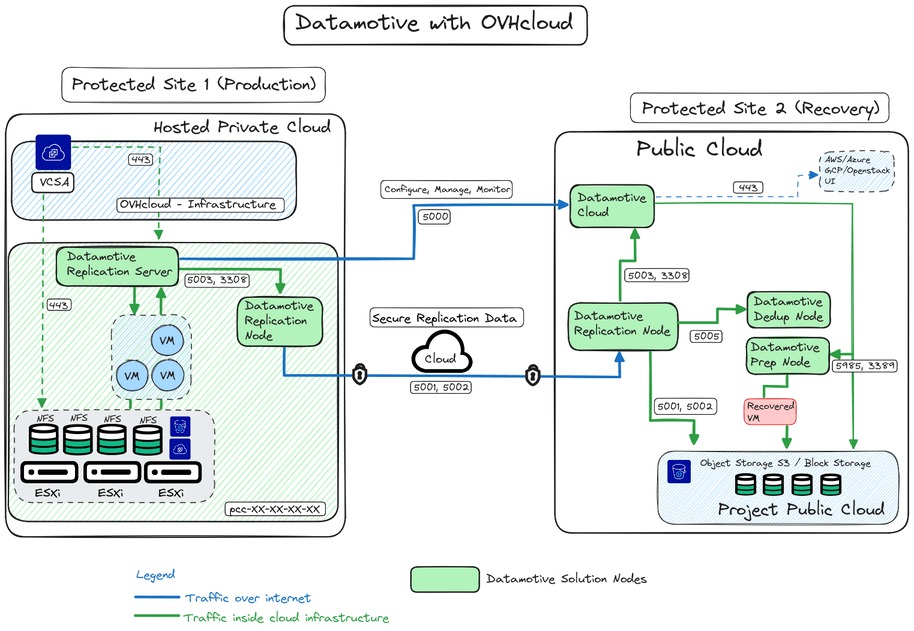
Neither model meets a recovery requirement by itself. The complete application architecture does. A reliable facility supplies part of it, while data protection, application dependencies, operating procedures, and independently usable capacity decide whether service resumes after a major failure.
Two requirements govern the design. Recovery time objective (RTO) specifies how long service can remain unavailable. Recovery point objective (RPO) describes how much data loss, measured backward in time, the organization can tolerate.
A system built around a single colocated rack has a different failure profile from one with geographically independent recovery capacity. Cloud availability zones and regions give you design options, but you still have to configure the application to use the redundancy and recovery services.
Uptime Institute distinguishes Tier III, associated with concurrently maintainable facility infrastructure, and Tier IV, associated with fault-tolerant facility infrastructure. Those classes cover physical infrastructure only; the application’s RTO, RPO, and uptime depend on its own deployment and tested recovery process. See the Uptime Institute Tier Certification framework.
One operator lost physical servers to flooding and then faced a cyclone at the replacement installation:
Last month, we lost our company’s physical servers when the mini-colocation center we used up north got flooded. Thankfully, we had cloud backups and managed to cobble together a stopgap solution to keep everything running. Now, a cyclone is bearing down on the exact location of our replacement active physical server. Redundancy is supposed to prevent catastrophe, not turn into a survival challenge. We cannot afford to lose this hardware too. I need real advice. We’ve already sandbagged, have a UPS, and a pure sine wave inverter generator. As long as the network holds, we can send and receive data. If it goes down, we’re in the same boat as everyone else—but at least we can print locally or use a satellite phone to relay critical information. What else should I be doing?
In this incident outside the United States, cloud backups kept temporary operations going while the replacement hardware faced another severe-weather threat.
Check four things for each option:
- Failure domains: Which of these can fail together: facility, region, network path, equipment, storage, shared application dependencies.
- Recovery copies: Which data and configuration copies are independent, accessible, protected, and usable during an incident.
- Restore sequence: Which systems must return first, including identity, networking, databases, and application services.
- Measured recovery: A documented restore or failover exercise compared with the required RTO and RPO.
A second rack can add equipment capacity without adding geographic independence. A multi-zone cloud deployment can still fail from a customer-made configuration error or a shared application dependency. Design recovery for the failures you need to survive.
When is hybrid cloud-plus-colocation worth its complexity?
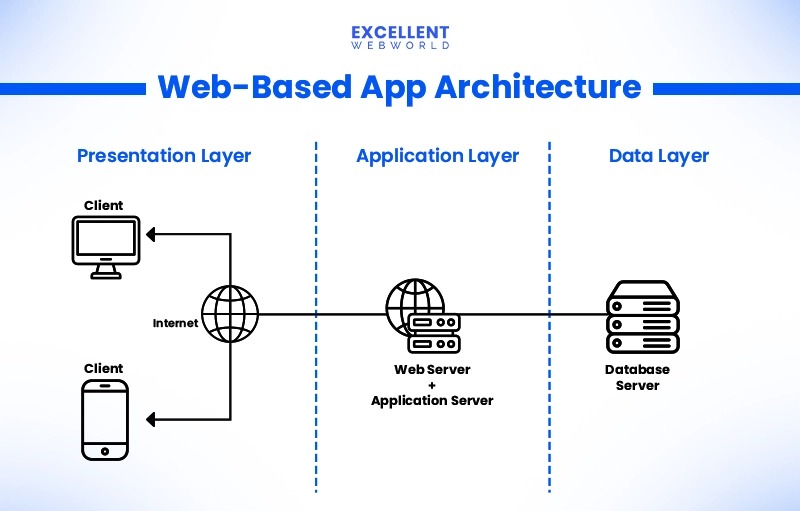
Hybrid is worth it only when your workloads differ enough to justify running both models.
A business might keep steady processing on specialized owned GPU servers and run short-lived application workers in public cloud. Another might keep its core equipment in colocation and use a managed cloud analytics service. Either split works only if data movement, latency, operational responsibility, and service charges support it.
The key design choice is where application state lives and how it crosses the boundary. An application that constantly moves large datasets between colocated servers and cloud services can generate transfer expense and latency that cancel the expected benefit. A burst-processing component with limited data movement looks very different.
Private connectivity can involve a colocated cross-connect, carrier services, and a public-cloud connection, each with separate charges and availability considerations. The design may also duplicate identity controls, monitoring, incident procedures, backup arrangements, and engineering skills.
Cloud-based disaster recovery for colocated systems is another possible split, as long as your data-transfer rate and restoration capacity support the recovery objective. Backup storage alone is not enough if the application cannot be rebuilt and running within its required recovery time.
Draw the proposed arrangement with named workloads, state locations, network paths, data-flow directions, failure behavior, and the operator for each part. Then add the extra interfaces and operating requirements to the cost model. The split earns its complexity only if it still shows a verified benefit after those costs.
The procurement and sign-off decision
Approve a deployment model only when the proposed architecture meets every mandatory constraint and you understand what remains uncertain. Let the workload’s requirements and the cost of delivering an equivalent service drive the choice. If identity boundaries, recovery objectives, or network routes change the decision, use the cloud architecture workload assessment to check the constraints.
| Workload situation | Colocation indication | Public-cloud indication | Hybrid indication | Critical disqualifier |
|---|---|---|---|---|
| Predictable, hardware-intensive processing | Candidate with supportable equipment and TCO | Evaluate managed value and committed capacity | Only for a defined split | No hardware repair owner |
| Unpredictable demand with substantial idle periods | Physical headroom may sit unused | Candidate if capacity can contract | Possible limited burst handling | Application cannot scale down as assumed |
| Mandatory owned specialized hardware | Candidate if facility accepts equipment | Check available dedicated alternatives | Selective placement possible | Required control cannot be provided |
| Strict recovery objective | Independent physical recovery design required | Designed zone/region and application recovery | Potential recovery split | Recovery test cannot meet requirements |
| Mixed application and network dependencies | Candidate for steady components | Candidate for suitable managed components | Requires justified data movement | Unacceptable connectivity or operating burden |
Before approval, the decision record should show three things:
- Requirements: The chosen design meets every mandatory operational, security, location, capacity, and recovery condition.
- Economics and terms: Both proposals use equivalent workload assumptions and dated, attributable cost inputs. Facility eligibility, network availability, contract commitments, and exit conditions are acceptable.
- Open items: Every unresolved assumption has an owner and a stated effect on the decision if it proves unfavorable.
A critical unknown about supplier terms or tested recovery capability leaves the decision pending. A failed mandatory requirement makes that option ineligible.
Once the deployment model is settled, vendor selection is a separate task. A cloud decision moves on to comparing AWS, Azure, and Google Cloud for the workload. A colocation decision moves on to current written proposals from suitable facilities in the US location you need. For AWS services, Azure regions, and Google Cloud networking, see the workload-based AWS, Azure, and Google Cloud comparison.