
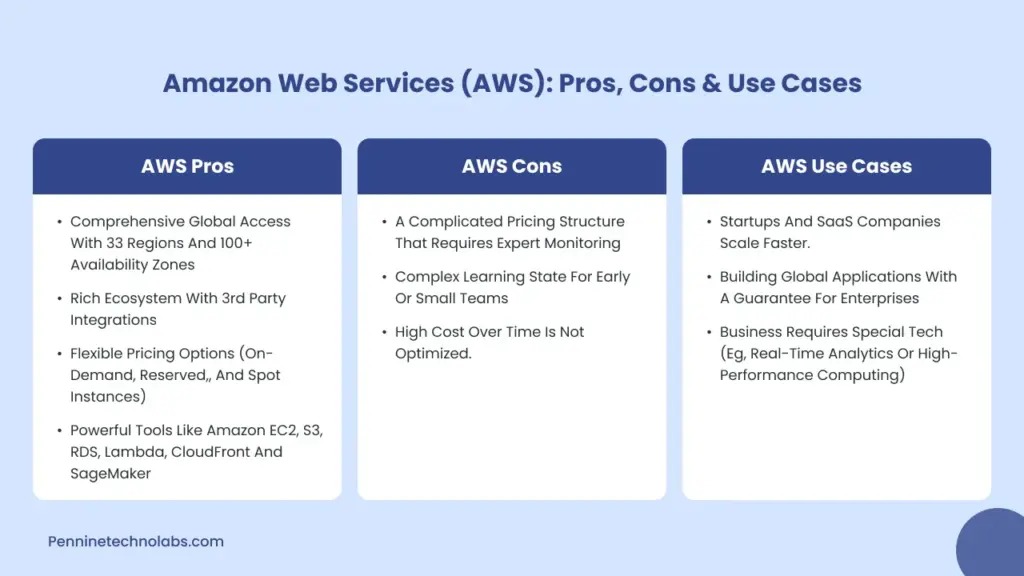
Use Compute Savings Plans when your eligible compute may change instance families, Regions, or services but has a dependable hourly spending baseline. For stable EC2 usage in one family and Region, compare an EC2 Instance Savings Plan with any RI-specific requirements first. If eligible usage may fall below the commitment or disappear, reduce or defer the purchase. Assess Availability Zone capacity separately, and validate the amount in AWS before approval.
Savings Plans vs. Reserved Instances: Which One Fits?
Two AWS commitments can advertise similar maximum discounts and leave you with very different costs. The difference comes from which usage qualifies, what can change during the term, and how much eligible spending remains in each hour.
| Commitment | What the buyer commits to | Maximum advertised discount | Best fit |
|---|---|---|---|
| Compute Savings Plan | Eligible spending in USD per hour | Up to 66% | Compute that may change families, Regions, or eligible services |
| EC2 Instance Savings Plan | Hourly spending within one EC2 family and Region | Up to 72% | Steady usage within that family and Region |
| Standard Reserved Instance | Eligible EC2 configuration | Up to 72% | Stable matching EC2 usage, including certain capacity-specific needs |
| Convertible Reserved Instance | EC2 configuration with eligible exchange options | Up to 66% | Configuration-based commitments where manual exchange flexibility is useful |
These are AWS’s advertised maximum discounts relative to applicable On-Demand prices. Realized savings depend on eligible usage, terms, other commitments, and unused hours. The AWS Savings Plans and Reserved Instances comparison lists the published differences.
How the Four EC2 Commitment Models Differ
A Savings Plan commits you to a dollar amount per hour. A Reserved Instance gives a discount only when your running EC2 matches its configuration.
Compute Savings Plans
A Compute Savings Plan commits a dollar amount per hour for one or three years. It applies to eligible EC2 usage across instance families, sizes, Regions, operating systems, and tenancy arrangements. Eligible AWS Fargate and AWS Lambda usage also receives the benefit. For Lambda concurrency, EC2 capacity, and invocation charges, use the AWS Lambda versus EC2 workload comparison to compare requirements.
Switching from c5 to m5, moving to another Region, or migrating from EC2 to eligible Fargate compute keeps the plan applicable. Its value still depends on enough qualifying usage remaining afterward.
EC2 Instance Savings Plans
An EC2 Instance Savings Plan commits eligible hourly spending within one EC2 instance family and one AWS Region. Within that scope, instance size, operating system, tenancy, and Availability Zone can change.
Moving from c5.xlarge to c5.2xlarge in the same Region keeps the selected family. Replacing c5 with m5 breaks a defining condition of the commitment.
Standard Reserved Instances
Standard RIs give a discount when eligible EC2 usage matches the reservation’s attributes: instance family, size, platform, tenancy, Region, and sometimes Availability Zone. The reservation discounts matching running usage. Provisioning instances is a separate operation.
Some eligible Regional RIs support instance-size flexibility through normalization factors. That flexibility depends on the reservation’s scope, supported instance family, operating system, and tenancy. Zonal RIs, Dedicated tenancy, Windows Server, certain licensed Linux configurations, and specified specialized instance families have different restrictions.
Convertible Reserved Instances
Convertible RIs allow certain configuration changes through an explicit AWS exchange process, and exchange rules govern each one. Compute Savings Plans apply more broadly and automatically, with no exchange needed.
Other Savings Plans categories
AWS documents four Savings Plans categories: Compute, EC2 Instance, Database, and SageMaker AI. This article compares the two EC2-relevant ones. Database and SageMaker AI commitments have separate eligibility rules and purchasing decisions.
How Reserved Instances and Savings Plans Apply to the Same Bill
Existing Reserved Instance benefits apply before Savings Plans. Among Savings Plans, EC2 Instance Savings Plans apply before Compute Savings Plans.
Say a Standard RI already discounts a matching EC2 instance while a Compute Savings Plan covers other eligible compute. AWS accounts for the RI-covered usage first, and the Savings Plan then applies to additional qualifying usage. The same compute never receives two discounts added together. A new purchase can sit alongside existing RIs and plans as long as they cover different eligible usage.
In AWS’s illustrative billing example, a $50/hour Compute Savings Plan meets $47.13 of eligible use at Savings Plan rates, leaving $2.87 of the hourly commitment unused. At On-Demand rates, that use would cost $59.10. You still owe the $50 for the hour.
AWS Organizations affects where an eligible benefit is consumed. A Savings Plan applies first to eligible use in its purchasing account. With benefit sharing enabled, other accounts under consolidated billing receive any remaining benefit. Spot usage and usage already receiving RI benefits get no further Savings Plan discount.
The full sequence is in the AWS Savings Plans application rules.
Why the Hourly Commitment Floor Matters More Than the Monthly Average
A Savings Plan is an hourly commitment, and unused commitment from one hour does not carry into another. Two workloads with the same total consumption can therefore produce different savings. A monthly average, or an arbitrary 80% or 100% coverage target, cannot replace the persistent hourly floor you observe and forecast.
Take two illustrative workloads, each with $480 in daily On-Demand compute. Assume a flat 50% Savings Plan discount on eligible usage, a $10/hour commitment, no existing coverage, and a 24-hour period. The rates are hypothetical, chosen to show the mechanism.
Workload A runs all 24 hours and consumes $20 of On-Demand usage per hour. Workload B runs hours 00 to 11 and consumes $40 per hour.
| Illustrative daily comparison | A: continuous workload | B: 12-hour workload |
|---|---|---|
| On-Demand rate while running | $20/hour | $40/hour |
| Hours running | 24 | 12 |
| Daily On-Demand baseline | $480 | $480 |
| Cost per active hour at the 50% discount | $10 | $20 |
| Purchased Savings Plan commitment | $10/hour | $10/hour |
| Commitment cost ($10 × 24 hours) | $240 | $240 |
| Uncovered usage at On-Demand rates | $0 | $240 |
| Total daily cost | $240 | $480 |
| Savings against On-Demand baseline | $240 | $0 |
Workload A uses the full $10 in every hour. Workload B pays for 12 hours it does not use. In its 12 active hours, the $10 commitment covers half of the $20 discounted cost, and the rest adds $20 per hour at On-Demand-equivalent rates.
The $240 is a daily allocation of the hourly obligation. The upfront payment options distribute the cash payments differently.
Measure your eligible spend hour by hour, after existing coverage applies. Include weekdays, weekends, overnight hours, scheduled batch jobs, and seasonal peaks.
Compute is one part of your infrastructure bill. Storage, networking, and transfer charges follow their own cost mechanisms, so use the total cloud cost estimate for the full picture.
When Capacity Requirements Change the Decision
A workload that needs a specific EC2 configuration in one Availability Zone has a capacity requirement as well as a pricing decision. A Zonal Reserved Instance reserves capacity for the matching Availability Zone, instance type, size, platform, and tenancy. A Regional RI makes no AZ-specific reservation. Savings Plans discount eligible usage without reserving EC2 capacity, and a separate On-Demand Capacity Reservation can run alongside eligible Savings Plan benefits. If you need AZ capacity assurance, compare a qualifying Zonal RI with a separate capacity reservation plus a discount commitment, including the configuration and cost restrictions of each.
What You Cannot Easily Undo After Buying

Your risk depends on the term, payment option, matching eligibility, and what you can do if business plans change. Savings Plans and Reserved Instances both come in one-year and three-year terms, and a longer term keeps you exposed longer if eligible usage declines.
All Upfront, Partial Upfront, and No Upfront are separate payment choices. They change when you pay and can change total purchase economics. No Upfront and All Upfront produce different cash-flow schedules even for the same eligible usage.
Savings Plan returns
AWS allows Savings Plan returns only under narrow conditions. Under the AWS return policy, a normal return requires the following:
- Commitment amount: No more than $100 per hour for the Savings Plan being returned.
- Timing: The return is requested within seven days of purchase.
- Calendar restriction: Purchase and return occur in the same UTC calendar month.
- Account and plan eligibility: The relevant return quota, permissions, status, and other policy requirements are met.
The normal return procedure requires an active plan. For a payment-pending plan, AWS directs you to wait for activation first. The seven-day window and the UTC month restriction matter when you decide to buy.
Returning a plan can cause previously covered usage to be re-rated at On-Demand rates or under other eligible commitments. The net result therefore includes the changed usage charges as well as any refund.
Reserved Instance resale and exchanges
You can offer eligible Standard EC2 Reserved Instances on the RI Marketplace. Requirements include seller registration, at least 30 days of activity in the selling account, and generally at least one month remaining on the reservation. AWS charges a service fee of 12% of the upfront sale price on a completed sale.
Proceeds depend on finding a buyer and on the sale terms. Convertible RIs cannot be sold there. They follow a separate AWS exchange process.
Which Commitment Fits Different Workloads?
Your shortlist depends on how stable the workload is and where the architecture is heading. A steady EC2 fleet, a migrating platform, and a scheduled batch workload carry different commitment risks.
| Workload situation | Relevant shortlist | Deciding condition |
|---|---|---|
| Continuous EC2 usage in one family and Region | EC2 Instance Savings Plan first for a typical new discount-only purchase; matching RI when its specific terms add value | Stable eligible usage, required capacity scope, and RI matching conditions |
| Compute moving between families, Regions, or eligible services | Compute Savings Plan | Enough eligible hourly spending remains after migration |
| Scheduled development, testing, or batch jobs | Conservative commitment against any persistent floor, with variable usage On-Demand | Hours without eligible usage and uncertainty about future schedules |
For a typical new EC2 discount purchase with stable family-and-Region usage, AWS’s EC2 purchasing guidance favors an EC2 Instance Savings Plan. Consider an RI when you need a Zonal capacity reservation or already hold an RI position. Some newer EC2 instance families lack RI pricing, so confirm that a qualifying RI offer exists for your configuration.
A development fleet that runs for part of the working day leaves much of a continuous hourly commitment unused. Other eligible workloads can support a smaller persistent commitment while the unpredictable remainder stays On-Demand.
Finish planned workload rightsizing and cloud cost optimization before you base a long-term commitment on retired or idle EC2 instances.
How to Check the Numbers Before You Commit
AWS Purchase Analyzer compares historical usage-based recommendations with custom Savings Plan commitments. It gives you purchasing inputs, but you still need to add planned decommissions, migrations, and procurement delays.
One r/aws user describes how the quarterly buying cycle goes stale before the purchase happens:
Every quarter there’s this ritual where you analyze usage patterns, try to predict future compute needs, calculate optimal savings plan coverage, submit recommendations to leadership, get approval, then finally buy commitments. By the time the whole process finishes usage has already changed and the analysis is outdated. Commitment recommendations in cost explorer are okay as a starting point but they don’t account for upcoming projects, seasonal traffic patterns or planned architecture changes. They just look at historical usage and say “buy this much” which is often wrong. Under committing means leaving savings on the table, over-committing means paying for capacity you don’t use and the optimal middle ground requires constant adjustment. Three year commitments save more but lock you in longer which is risky for startups where everything changes constantly. Coverage percentage drops randomly when workloads shift and you need to evaluate whether to buy more which savings plan type makes sense (compute vs ec2) and what term length is appropriate.
Pre-purchase comparison in AWS
- Establish existing coverage. List active RIs and Savings Plans, their purchasing accounts, and the hourly usage left after those commitments apply.
- Run Purchase Analyzer. In AWS Billing and Cost Management, open Savings Plans Purchase Analyzer and pick the Compute or EC2 Instance Savings Plan analysis that fits the workload.
- Set the purchase parameters. Choose the account scope, the Region and instance family (for EC2 Instance Savings Plans), the term, and All Upfront, Partial Upfront, or No Upfront payment.
- Compare commitment scenarios. Examine the AWS-recommended amount, a target-coverage scenario, and a custom hourly dollar commitment, including modeled coverage, utilization, and savings.
- Apply your engineering forecast. Account for planned server removal, instance-family changes, eligible Fargate or Lambda migrations, seasonal schedules, and approval timing, and check the commitment across the full one-year or three-year term.
- Record the decision. Write down the historical recommendation, your custom alternatives, the expected eligible hourly floor, and your migration and schedule assumptions. Before approval, also record the plan or RI type, term, hourly commitment where applicable, instance family and Region, purchasing account, payment option, and total upfront obligation.
The AWS Purchase Analyzer documentation describes historical lookback selection within the preceding 60 days. It also describes an option related to Savings Plans expiring within the next 90 days.
What to Check When Commitments Stop Paying Off
When a discount becomes less effective, identify whether the cause is a configuration mismatch, a drop in eligible usage, or a change in how remaining benefits are allocated.
| Observed symptom | Evidence to examine | Cause |
|---|---|---|
| RI utilization is low while EC2 is running | Family, size, platform, tenancy, Region, AZ, and normalization eligibility | Running usage fails an RI matching condition, such as tenancy or platform, even when the family name matches |
| Savings Plan utilization drops after rightsizing | Eligible hourly usage remaining after existing benefits | Lower demand leaves part of the commitment unused |
| Coverage changes after migration | New family, Region, eligible service, and selected commitment scope | Replacement usage qualifies differently under the purchased model |
| Effective Savings Rate falls while the fleet shrinks | Absolute billed charges, commitment cost, and removed usage | A fixed commitment remains while overall consumption changes |
One FinOps practitioner hit this after decommissioning underused virtual machines:
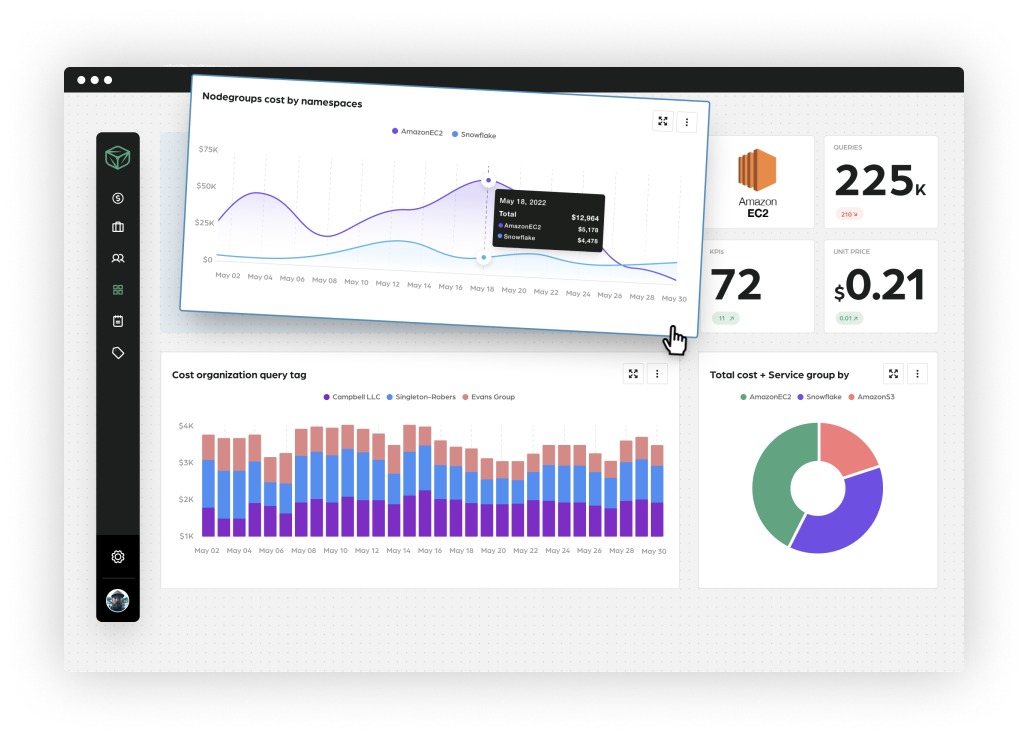
We reduced the usage of virtual machines after analyzing usage patterns and decommissioning some instances no longer needed. In return the Effective Savings Rate has dropped by 5% because our saving commitments remained constant. This looks like we overcommitted. Was this a bad timing to reduce usage of VMs? Would this still be considered a win in terms of Finops led optimizations? Anyone with similar situations?
Removing idle instances lowers absolute spending but can leave a fixed commitment less utilized. Whether it was a win depends on the actual net charges after the removal. For billing, cost allocation, and engineering owners, see the FinOps cloud-cost operating cycle.
To reconcile the numbers, examine billed usage, commitment utilization, and amortized charges in the AWS Cost and Usage Report.