
For AWS account owners and FinOps or DevOps teams: use Cost Anomaly Detection to flag unusual spending, then confirm the affected account, service and cost evidence before you call an alert a root cause. If a workload can pile up charges faster than billing data arrives, anomaly detection alone is too slow to protect it. Start by finding which monitor and alert subscription cover that workload, and who investigates the next notification.
What AWS Cost Anomaly Detection catches and when
AWS Cost Anomaly Detection uses machine learning to spot unusual spending against a historical baseline. It compares processed net unblended cost with expected spending and calculates the difference during an anomaly period.
Cost impact comes from usage, rates, discounts, or a mix of them. The alert tells you where to look. Usage and billing records tell you what changed.
According to AWS Cost Anomaly Detection documentation, AWS evaluates costs about three times a day after billing data is processed. The underlying Cost Explorer data lags by up to 24 hours.
- New monitor: it takes up to 24 hours before the monitor begins detecting anomalies.
- New service: AWS requires at least 10 days of service spending history before the detector recognizes anomalies for that service.
A service you deployed yesterday can run up significant spend before the detector has the history it needs.
AWS Cost Anomaly Detection excludes third-party AWS Marketplace charges. An exception covers eligible third-party foundation models running on Amazon Bedrock, including Anthropic Claude: AWS announced on August 19, 2026 that their spending is automatically evaluated by an AWS-managed service monitor in commercial AWS Regions, excluding AWS GovCloud and China Regions. Use AWS Budgets for other Marketplace charges.
Cost Anomaly Detection is also unavailable for bill source accounts using billing transfer and does not support billing transfer views.
Choose the monitor scope that matches the spend owner
A monitor’s dimension determines which spending changes AWS evaluates.
| Monitor dimension | Scope | Useful when | Account condition |
|---|---|---|---|
| AWS service | Individual AWS services | Isolating a service increase | Supported in the applicable account scope |
| Linked account | Member-account spending | Central organization oversight | Management account required |
| Cost allocation tag | Activated cost allocation values | Assigning spending to teams or environments | Management account required |
| Cost category | Defined business cost groupings | Monitoring organizational cost groups | Management account required |
Take AWS’s example of an Amazon S3 increase offset by an equivalent Amazon EC2 decrease. A monitor aggregating both shows little net movement, while an AWS service monitor catches the S3 increase.
AWS-managed monitors track values independently within their selected dimension and automatically include new eligible values. They cover up to 5,000 values, selecting the largest-spend values if the dimension exceeds the limit.
Customer-managed linked-account monitors aggregate up to 10 selected accounts, and customer-managed cost allocation tag monitors include up to 10 selected tag values. A customer-managed cost-category monitor selects one category value. Customer-managed AWS service monitors are unsupported. With multiple selected accounts or tag values, an increase in one can be offset by a decrease in another. If resource tags, AWS accounts or billing allocations change your decision, use the AWS cost allocation tag audit checklist to check the constraints.
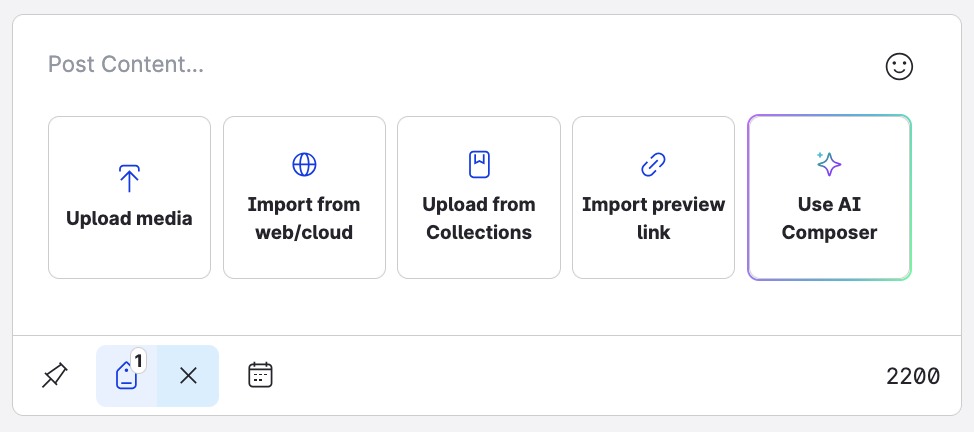
In Billing and Cost Management → Cost Anomaly Detection → Cost monitors, review existing monitors for their account, dimension, method and workload owner. For uncovered spending, select Create monitor, choose a supported monitor type and its values, and continue to the alert subscription choice.
Management and member accounts do not always show the same monitors or subscriptions. Tag-based ownership works only once activated cost allocation tags appear in cost data.
Set alert thresholds, frequency and recipients
A monitor detects a deviation. Its alert subscription decides which detections trigger a notification and who receives it. In the setup flow, choose Create a new subscription or Choose an existing subscription. For a new subscription, set the notification frequency, threshold conditions and email recipients or SNS destination, then complete creation.
| Method | Timing after detection | Best for |
|---|---|---|
| Individual alert through Amazon SNS | After a qualifying detection | Operational response routing |
| Daily email summary | Daily digest | Regular spend oversight |
| Weekly email summary | Weekly digest | Less time-sensitive review |
| AWS User Notifications | Configured notification delivery | Granular routing and filtering |
A daily summary lists the previous day’s top 10 alerts by cost impact. The digest is generated at 00:00 UTC, and delivery time varies.
How absolute and percentage thresholds interact
An absolute threshold is measured in dollars of cost impact. A percentage threshold is measured against expected spending. With AND, both conditions must be met. With OR, either one qualifies an anomaly for notification.
These thresholds filter alert delivery. Detected anomalies stay available in the console.
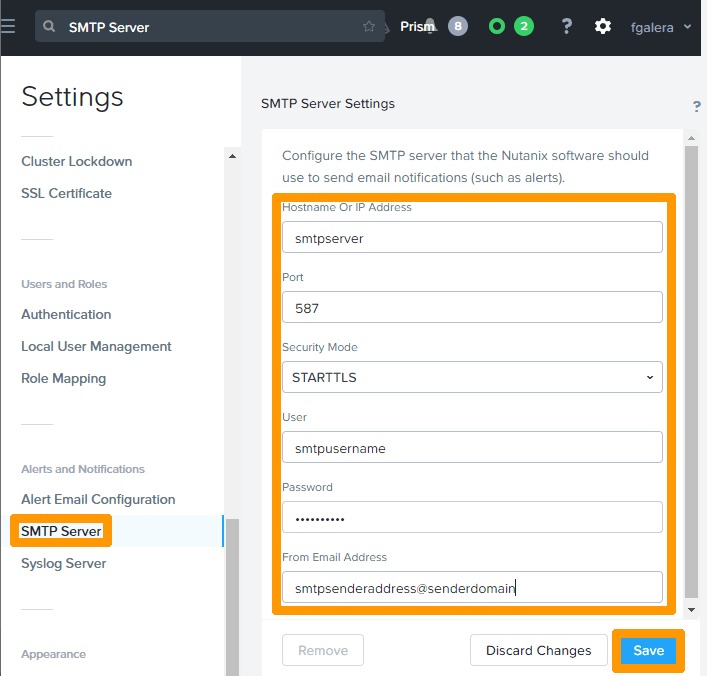
A subscription takes up to 10 email recipients or one SNS topic. AWS User Notifications is an option when you need finer recipient filtering.
Why an anomaly may appear without an alert
Open Detected anomalies for the affected period first. Find which step failed before you change any monitor or alert settings.
- The record is there: check the subscription threshold, the delivery cadence and the SNS or recipient route. In the automatic setup for new Cost Explorer users, an alert needs both a deviation above 40% and an impact above $100, so an anomaly that misses either condition sends no notification.
- The record is missing: check the monitor’s account and dimension, the service’s spending history, and whether the relevant billing data has been processed.
Validate the alert against Cost Explorer and usage
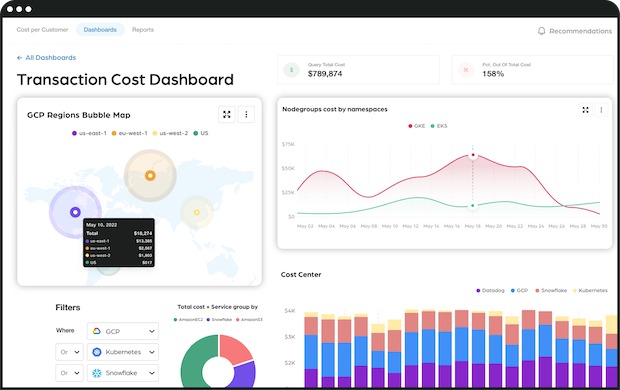
Start with the anomaly record in Detected anomalies. Its Cost Explorer view shows the spending time series for the affected period, and the record names the monitor and contributing cost dimensions.
| Field | What it helps establish |
|---|---|
| Anomaly ID and time window | The specific detection and period |
| Monitor and linked account | Coverage and affected account |
| Service, Region, usage type | Where the reported deviation occurred |
| Expected and actual spend | Modeled baseline compared with observed cost |
| Cost impact and percentage | Absolute and relative change |
| Potential contributors | Ranked candidates for explaining the change |
Cost impact is actual spending minus expected spending for the anomaly window. When expected spend is nonzero, impact percentage is cost impact divided by expected spend, times 100. If expected spend is zero, the percentage shows as N/A.
Why contributors may not add up to the total
The list shows up to 10 modeled contributors. Their increases can total less than the net anomaly when many smaller changes are present, or more when decreases elsewhere offset part of the increases. In AWS’s example, a $1,000 anomaly is made up of twenty $50 changes, and only half of them fit in a list of 10 contributors.
In one reported AWS Network Firewall case, the operator compared endpoint hours and traffic charges against expected workload activity and opened a support case:
We received a Cost Anomaly Alert this morning. Our Network Firewall costs are normally around 55 dollars per day, and we had some extra traffic (massive on-prem firmware update) that should have generated about 70 dollars in extra charges. But our NWFW billing for yesterday was 1400 dollars according to Cost Explorer. Also, we are billed for 290-odd endpoint hours while we only have three endpoints (3-AZ configuration) so should’ve been billed for 72 endpoint hours. We have reviewed cost for other services in our landscape and everything else seems to be in line with expectations. It’s just the Network Firewall (traffic and endpoints) costs that seem to be wrong. Anybody else experiencing cost anomalies like this, in the NWFW or otherwise, for yesterday? Of course, could have everything to do with the outage of yesterday. Support case has been submitted, but I’d like to know if we’re the only ones or not.
The operator’s discrepancy stayed unresolved, and the case went to AWS Support.
Invoice reconciliation belongs in cost and usage reporting. To compare CUR 2.0, Cost Explorer and AWS invoices, use how to reconcile AWS Cost and Usage Reports.
Investigate deeper with Amazon Q Developer and CloudTrail
Amazon Q Developer separates changes in usage from changes in effective cost rates and, when recorded CloudTrail events are available, ties infrastructure activity to a cost anomaly.
AWS announced AI-powered cost investigations on June 8, 2026. On an eligible anomaly detail page, select Investigate with Amazon Q Developer. Your account needs the feature access and permissions. The AWS investigation guide describes these capabilities and their evidence limits.
Usage-driven changes
Higher request counts, transferred data or compute activity raise cost while the effective rate stays similar. Amazon Q identifies the affected service, account, Region and usage type, and can tie a usage change to a recorded CloudTrail management event.
A management event identifies a principal, operation, time and resource. A normal surge in customer demand usually leaves no configuration event to point to.
Rate-driven changes
Effective rates shift through discount allocation, Savings Plans redistribution or a pricing-tier change, even when usage barely moves.

Permissions and evidence limits
The workflow needs the q:StartConversation, q:SendMessage and q:PassRequest permissions.
Cross-account investigation works with an organization-wide CloudTrail trail delivered to CloudWatch Logs, provided the necessary records and permissions exist.
CloudTrail data events such as S3 GetObject and DynamoDB GetItem are not captured by default, so individual data operations cannot be attributed.
Resource-level Cost Explorer detail covers the previous 14 days, and AWS archives anomaly records after 90 days.
The investigation feature has no additional charge, but relevant CloudWatch Logs Insights queries incur normal scan charges.
Label the finding: backed by a recorded CloudTrail management event, backed by cost data only, or unresolved. Give the account, service and event details to whoever decides the response.
When a bill looks impossible: check for billing-data discrepancies
An implausibly large estimated charge calls for a billing-data and service-status check before any disruptive production change. Cost dashboards can display intermediate estimates that are later corrected.
On July 17, 2026, Broadcom CloudHealth reported inflated AWS monthly cost data associated with an upstream billing-data problem. Broadcom reported corrective backfilling, and the incident was closed on July 20, 2026, at 14:59 UTC.
One AWS user received threshold emails and saw a startling amount on July 17:
As per title, today I received a bunch of billing alerts in my email because I went over my max threshold of 100 usd. AWS says I owe them about 2.5 billion dollars so far and it’s only the 17th of the month. I have only one s3 bucket that hasn’t been touched since 2023 and is not public, and I am not even using ecr at all, I have no registry on any region that I am aware of. I tried opening a support ticket but nothing so far. What should I do? Is there any way to escalate this urgently?
The roughly $2.5 billion figure was a displayed estimate, and Broadcom documented inflated billing data during that period.
Compare the account’s cost and usage records with AWS Health or relevant service-status information and any corrected estimates. Document unresolved discrepancies and escalate them through AWS Support. If you find evidence of unauthorized account activity, start a separate security response. Do not infer an attacker from the size of the charge.
Route the response to an owner and close the investigation

The next action depends on what the cost and technical evidence supports. A confirmed demand surge and a configuration error can produce similar cost changes, but they need different owners and decisions.
| Finding | First owner | What to do first |
|---|---|---|
| Expected traffic or approved growth | Workload owner with FinOps | Assess budget impact and capacity needs, and keep required service running |
| Unintended scaling, retries or configuration | Service or platform engineering | Weigh an authorized rollback, throttle or pause against service risk |
| Rate, discount or allocation shift | FinOps or billing owner | Explain the effective-rate change and allocation |
| Implausible or disputed billing estimate | Billing owner and AWS Support | Preserve billing evidence and seek reconciliation |
| Evidence suggesting account compromise | Security response owner | Follow the organization’s security incident procedure |
Keep one incident record with the anomaly ID, assigned owner, affected workload, expected business behavior, technical evidence, how sure you are of the cause, approved change, rollback path and observed result. When you close the incident, name an owner for anything still unexplained.
What anomaly detection cannot prevent and what to pair with it
A fast-multiplying workload can run up material charges before processed cost data reaches anomaly detection. Recursive triggers and retry storms are examples, and they need operational monitoring that responds to the activity itself.
A developer reported an S3 write that retriggered a Lambda function, creating a feedback loop that went unnoticed:
I was building a simple data ingestion system using Lambda and S3, nothing wild. At some point, I accidentally created a loop where a Lambda would re-trigger itself after each S3 write. I didn’t notice. No alert. No cost warning. Nothing. Three days later, I logged into the billing dashboard and nearly passed out. $3,200 burned. I contacted support, pleaded, and eventually they forgave part of it. But it scared the hell out of me. I’ve been wondering since: Has anyone here been able to detect usage anomalies in real time? Are there any tools that actually monitor usage spikes (not just monthly budget alerts)? What would have caught this before it got out of control?
The loop ran for three days, and AWS Support forgave part of the $3,200.
For a fast-growing workload, answer four questions:
- Feedback path: Which write, trigger, retry or invocation can start another billable operation?
- Early telemetry: Which request rate, concurrency, error or retry metric rises when the behavior turns unsafe?
- Response ownership: Which team can read the signal and authorize intervention?
- Safe control: Which supported quota, throttle, limit or rollback can curb activity without unacceptable service interruption?
AWS Budgets, workload metrics and anomaly notifications cover different stages of visibility and response. None of them gives you a universal instant hard limit on all AWS charges.
The checks for cloud billing, cost allocation and engineering owners are explained in the FinOps cloud-cost operating cycle.