
Use Docker when you need the same runtime every time, or several services that start together. A static frontend, or a setup where every dev tool would have to run in a container, works better with local tools or with Docker for the dependencies only. A Dockerfile produces an image, Docker runs containers from that image, and Compose connects an API to its database. The browser reaches a published host port. The API reaches its database through an internal service name. Persistent data, readiness and network exposure each need their own attention. Start by mapping what your application must run, reach and preserve.
What is a Docker container in a web application?
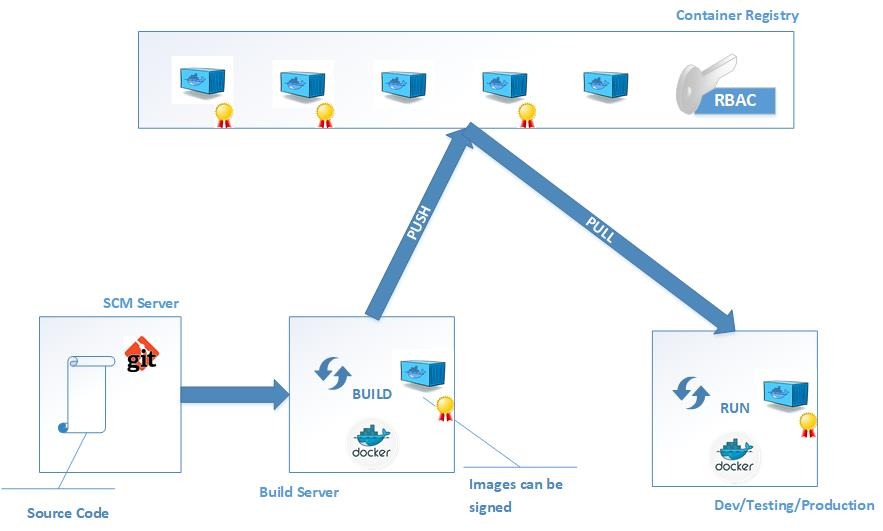
A Docker container is an isolated process started from an image, which supplies its filesystem and startup configuration. Docker Engine runs the process with its own filesystem and networking context, and a Dockerfile tells Docker how to build the image. Linux containers share the host kernel, while a virtual machine has its own guest operating system and kernel. On Mac or Windows hosts, Docker Desktop may use a Linux VM. A web application can have a Node.js API container and a separate PostgreSQL container. Each runs its own process, and they talk over a network.
Should you containerize every part of your web app?
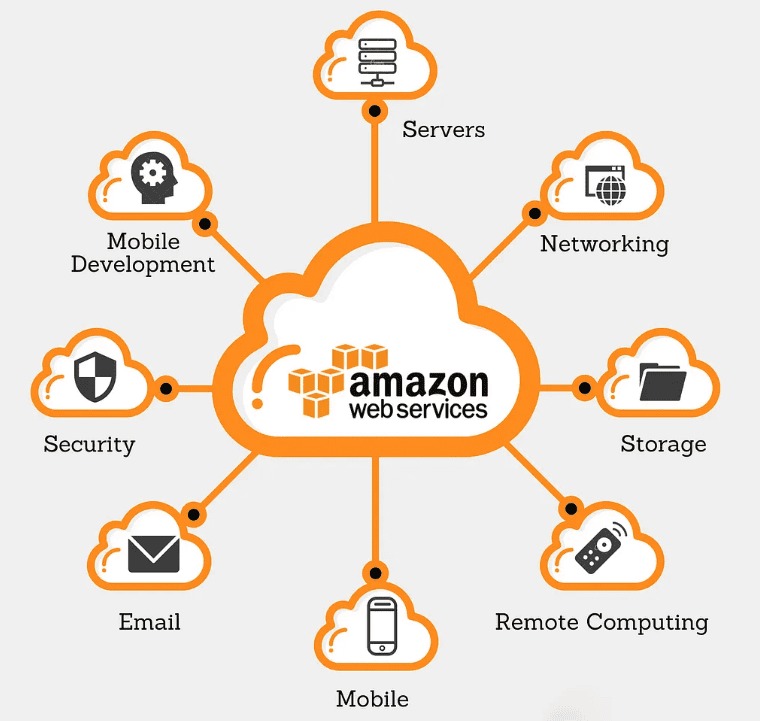
Containerize the components that gain from reproducible dependencies or coordinated deployment. A small static frontend with a familiar local toolchain runs best directly on your computer. An API and database you need to create repeatedly make a stronger case for a defined image and service configuration.
Editing and debugging still matter. IDE integration, live reload, Prettier, ESLint, TypeScript checks, npm scripts and Git hooks remain daily tasks even when the runtime is containerized.
| Workload | Reasonable starting approach | What to weigh |
|---|---|---|
| Static frontend with stable local tools | No Docker, or an optional separate build container | Local convenience against reproducible builds |
| Frontend needing PostgreSQL or a message broker | Containerize the dependency and keep editor tools local if useful | Service isolation, connection settings, persistent data |
| API and database deployed or tested together | Containerize the API and define both services with Compose | Repeatability against networking, storage and health responsibilities |
| Workloads requiring scheduling across hosts | Evaluate an orchestration layer | Host placement, recovery policies, operating complexity |
A team can use Docker for PostgreSQL without forcing its code editor or Node.js commands into containers.
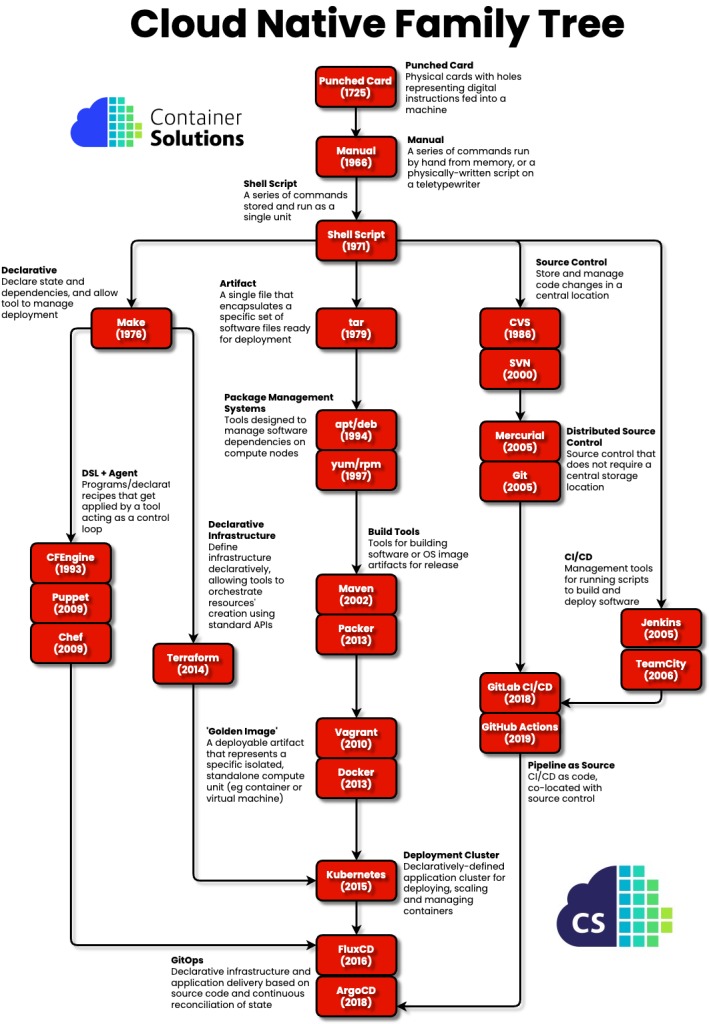
One front-end developer described the point where a neat environment started making ordinary tooling harder:
The main benefit I see in Docker is the automated setup of a development environment. But I can’t find a way to make it right. Many resources out there explain how to run a web server within a Docker container. To my surprise, even live-reload is covered. But very few (if any) explain how to integrate development tools into the Docker workflow, such as: … All of these tasks require the Node.js runtime. If I am to completely abstract Node behind Docker, I need to find a Docker equivalent for each of them. It doesn’t feel right, I don’t see myself spawning a container just to run prettier. At this point, it feels I’m doing this only because of some dogmatic vision about not having Node installed on my machine.
Use that as the test for your own setup. Can you still edit, lint and debug without friction?
How does a Dockerfile become a running web application?
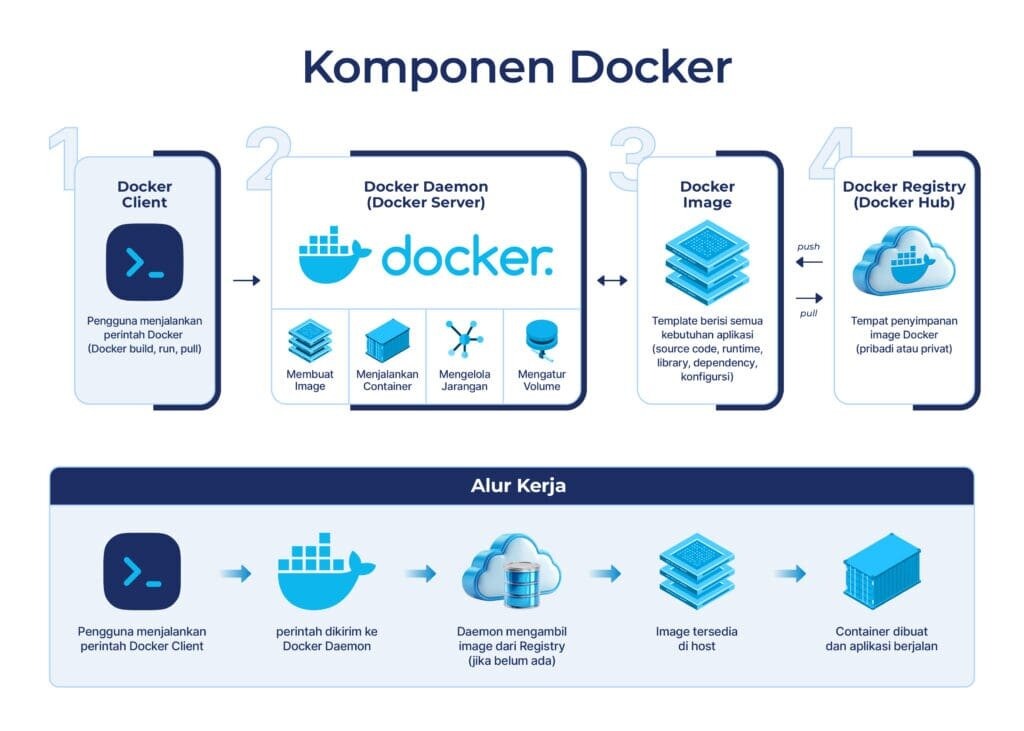
A Dockerfile describes how to build an image. The image is a reusable artifact, and a container is the process Docker creates from it. Docker Hub or another registry distributes images, but a local image runs without being pushed anywhere.
- Build instructions:
FROMselects a base image,WORKDIRsets a working directory,COPYadds files, andRUNperforms build-time operations. - Startup definition:
CMDandENTRYPOINTset the default runtime behavior, with different command and argument semantics. - Image creation: Building produces the filesystem and image configuration used by a Node.js API or another server.
- Container start: Networks, environment settings and mounts are supplied when the container is created and started.
The official CLI usage is docker container run [OPTIONS] IMAGE [COMMAND] [ARG...]; docker run is its alias. The IMAGE argument can be a tag or a digest. The container’s name or ID identifies the instance, while the image reference identifies the artifact it started from.
A replacement container built from a newer image does not carry over the old container’s writable layer. docker ps shows running containers and their image references, and docker inspect <container> shows more runtime configuration. Substitute a real container name or ID for the placeholder before you run it.
How does the browser reach a container, and how does an app reach its database?
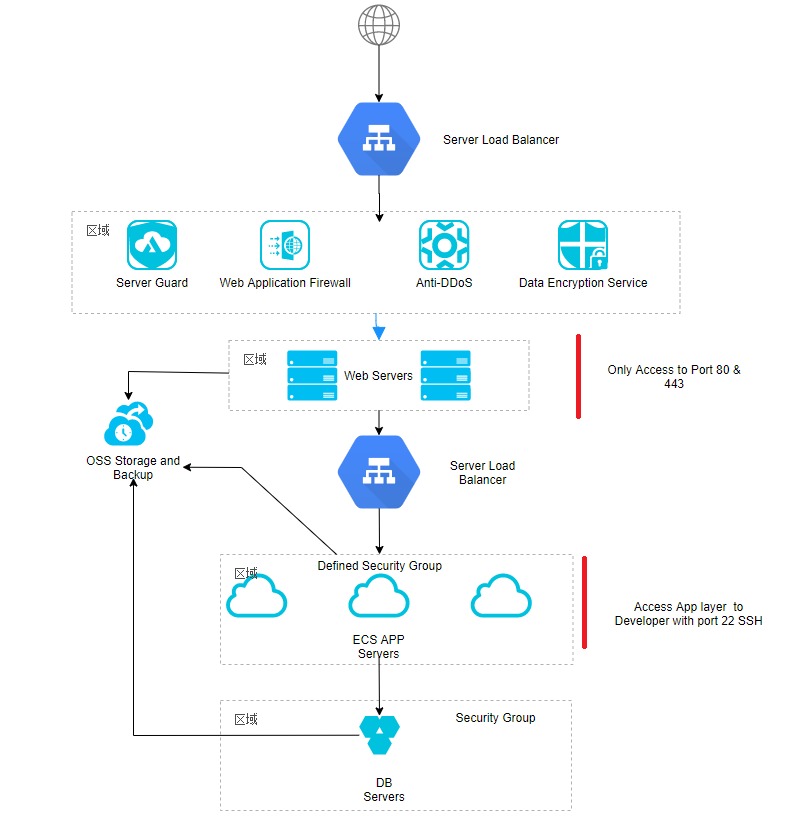
The browser addresses the Docker host. Containers reach each other through a shared network. Each caller sees its own hostnames and ports.
Here is an example path with illustrative service names and port numbers:
Browser → Docker host:8080 → API container web:3000 → PostgreSQL service db:5432 → named data volume
- Browser to host: The browser connects to host port
8080, and the published port mapping forwards that traffic to the API’s container port3000. - API to database: On an ordinary shared Compose network, the API reaches PostgreSQL at service name
db, port5432. - Database to storage: PostgreSQL writes its files to a data directory mounted from a named volume. Storage is separate from the network path.
Inside the API container, localhost ordinarily points to the API container’s own network namespace, so localhost:5432 does not reach a PostgreSQL service running separately. The name db works only for services on the shared Compose network. It is not a browser-facing DNS name.
To trace a connection failure, identify the caller at each hop and compare its destination with the port mapping and network membership. Host networking and other custom network modes change this isolated-network model. Docker’s Compose networking guide documents service-name discovery and the difference between host and container ports.
What does Docker Compose add to a multi-service web app?
Compose puts a multi-container application’s topology into a declarative file. A compose.yml can describe the API, PostgreSQL, networks, volumes, environment configuration and service dependencies, so you can review the whole application in one place.
In the example stack, the web service defines the API image or build and publishes its browser-facing port. The db service defines PostgreSQL and mounts its data directory. Both sit on the shared Compose network.
docker compose config renders the effective configuration after supported processing and interpolation. It shows what the deployment declares, so handle any sensitive values in its output with care. Database contents live in the configured storage, while deployment definitions and references to external secrets need their own preservation plan.
Where does application data live when a container is replaced?
A container’s writable layer belongs to that instance. Remove and recreate the container, and the new one starts with a fresh layer. Named volumes and bind mounts keep data outside that disposable layer, as long as they are attached at the directory the application uses.
A PostgreSQL container that writes database files inside its writable layer loses them when the instance is replaced. A named volume mounted at an unrelated directory protects nothing.
| Operation or condition | Writable layer | Named volume | Consequence |
|---|---|---|---|
| Stop and restart the same container | Retained with that instance | Retained | A restart keeps the layer; a replacement does not |
| Remove and recreate container | Old instance’s layer is not reused | Retained unless separately removed | New container must mount the correct path |
docker compose down | Service containers are removed | Declared named volumes normally remain | Anonymous volumes may not reattach automatically |
docker compose down -v | Service containers are removed | Declared named and attached anonymous volumes are removed; external volumes are exempt | Destructive for data in affected volumes |
| Underlying host disk unavailable | Depends on the application’s write path | Intended data may be inaccessible | App can appear empty or unconfigured |
| Recovery from an independent backup | Container can be replaced | Applicable data may be restored | Needs a usable, tested restore process |
docker compose down -v and volume-pruning operations can destroy valuable data in a stateful service. Never run them as routine troubleshooting cleanup.
A user in r/docker lost a Minecraft server world after duplicating and replacing a container whose important files lived inside the instance:
I had a crafty controller container with a Minecraft server (and world) stored within the container. I had only a bind mount configured, which just pointed to a location for me to backup my world on an external disk. So the important stuff was not stored on a dedicated volume to ensure persistence between deployments (I know) but the reason I didn’t think I had to do this was because the container hadn’t lost the data between reboots, power outages, redeploys, updates, you name it. I had to make some changes to the ports on the container, so I duplicated/edited it, added the ports, and went on with my day. This is something I’ve done before without issue. When the container came back up, all my data had been removed. I also learned my server was not being backed up (thanks crafty!) so it’s gone gone.
It was a game server, but an API’s uploaded files or a database directory face the same risk.
Use read-only docker inspect output to list your mount destinations and find the actual persistent-data paths. Then set up an independent backup with a tested restore procedure, since a volume alone does not cover storage failure, corruption or accidental deletion. Docker’s volumes documentation describes the managed-storage lifecycle.
Why can a running web container still fail to serve requests?
A running container only tells you its main process is alive. Requests can still fail while a server initializes or a database starts accepting connections.
Say the API starts quickly while PostgreSQL is still initializing. Compose depends_on sets startup order, but order alone does not guarantee that SQL connections will succeed. Add a healthcheck to PostgreSQL and condition: service_healthy, and Compose waits to start the dependent service until the check passes.
Docker’s example uses PostgreSQL’s pg_isready, which checks database readiness specifically. An open TCP port tells you less. A passing healthcheck proves one condition. Wrong credentials and later failures still break requests.
Check the health status and the application and dependency logs to tell startup timing apart from connection and authentication problems. The Compose startup-order guide documents the health-based dependency condition.
What can go wrong with exposed ports, images and secrets?
Publishing a port creates an access path through the Docker host. An internal Compose service can reach another container without that service publishing a port on the host.
These port mappings express different host-side exposure:
-p 8080:80: Publishes container port80on host port8080, ordinarily on host interfaces.-p 127.0.0.1:8080:80: Publishes the same destination on the host loopback address, for local host access under ordinary Engine networking.
A web API may need a host-facing port for browser access. Publishing PostgreSQL’s port just to link the API and database exposes an unnecessary endpoint.
Docker documents a historical exception for Engine versions earlier than 28.0.0: devices on the same Layer 2 network could reach certain ports published to localhost. Exposure also depends on the host’s network mode, firewall configuration and platform.
On Linux, Docker-managed packet-filtering rules can interact with UFW in unexpected ways. Inspect the effective access path instead of trusting a single firewall UI indicator.
Images bring their own maintenance and credential risks. Use a trusted, minimal base and update deliberately. Digest pinning makes an image reference reproducible, but a digest cannot keep that content patched. Docker’s build guidance uses secret and SSH mounts for sensitive build inputs, because ordinary Dockerfile ARG and ENV can leave credentials exposed in build artifacts or metadata.
The Docker port-publishing reference documents both example bindings and the historical loopback exception.
How do you find the right failure layer before changing anything?
Find the first boundary that fails before you change containers or storage. A browser timeout, a failed database connection and an unexpected setup screen each call for a different first check.
| Symptom | First plausible boundary | Safe first check | Next direction |
|---|---|---|---|
| Browser cannot connect | Published port or app listener | Read port mappings and compare the browser’s host address | Container listener and host network |
| API cannot connect to PostgreSQL | Service DNS, readiness or credentials | Inspect network membership, configured DB destination and health/log output | Database authentication or initialization |
| Application shows a setup screen or lost content | Storage mount or underlying host disk | Confirm host disk availability and intended mount destination | Original data path and backup state |
| Container repeatedly exits | Application process startup | Read container status and logs without removing it | Startup command and application errors |
When an application shows its first-run setup screen, inspect the storage mount first. An empty-looking application can mean inaccessible data even when the original files still exist.
A self-hosting user described data apparently disappearing across several services:
TL;DR It looks like that the contents of every folder which was mounted in any container got deleted from one day to another. I‘m using a Intel Nuc with Debian as my docker host to host various local services like home assistant and the unifi controller. I‘m using watchtower for automatic container updates. Yesterday I realized that my home assistant was not responding via the app. Today I looked at the web app and was greeted with the initial configuration screen. I checked the other service and all services lost their data. Any thoughts on that? Did somebody encounter such a behavior in the past? I have to decide if I just restore the volume from backup as quick fix or if I keep it in the current state until I have time to investigate the issue.
In a follow-up, the poster reported that the data disk had not mounted. The wiped directories were a misdiagnosis of what the application could see, not verified filesystem deletion.
Pick one nondestructive check from the table, such as docker compose ps, read-only mount information or docker logs <container>. Keep your data and error evidence intact while you narrow the fault. A failed check points to the next boundary.
When are Docker and Compose enough, and when do you need orchestration?
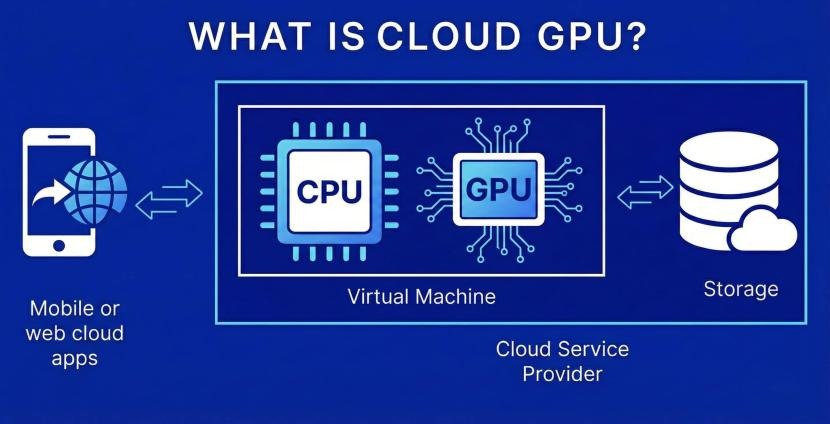
Docker starts containers and Compose defines a coordinated application stack. An orchestrator adds scheduling across hosts, keeping desired workloads running and placing replacements when infrastructure fails.
A single-host API and database can run well on Compose with monitoring, restart policies, backups and an operator who knows the application. More complex placement or recovery needs change that. For uptime alerts, incident response, and restore tests, use the website reliability diagnosis and recovery playbook.
- Host placement: Workloads that must be scheduled across several hosts need coordination beyond one Compose host.
- Recovery: Restarting a process on its own machine differs from rescheduling workloads after machine failure.
- Scaling: Independent placement and scaling policies can justify an orchestrator. A fixed topology has no such need.
- Operations: Your team has to maintain whatever networking, deployment and monitoring systems it adopts.
One participant in an r/docker discussion reported running multiple production services without Kubernetes, replicating entire stacks across nodes and using shared data services. They accepted lower compute efficiency in exchange for simpler operations. For decisions involving Kubernetes Pods, Node capacity, and scheduling constraints, see the Kubernetes Pod versus Node scheduling diagnostic.
For a plain frontend, stay local and containerize only the dependencies that benefit. Choose the smallest setup that does the job.